Come esportare chat Discord in Excel o CSV

Scegli Excel (XLSX) per un libro con intestazione bloccata o CSV per Google Sheets, database o script. Imposta eventuali date ed esporta: un messaggio per riga.

CSV usa UTF-8 con indicatore dell’ordine dei byte. Se i caratteri appaiono errati, importa come UTF-8. Il testo che inizia con =, +, - o @ è preceduto da un apostrofo. In Google Sheets usa File → Importa → Carica. Analizza Author con una tabella pivot o raggruppa Timestamp per giorno.
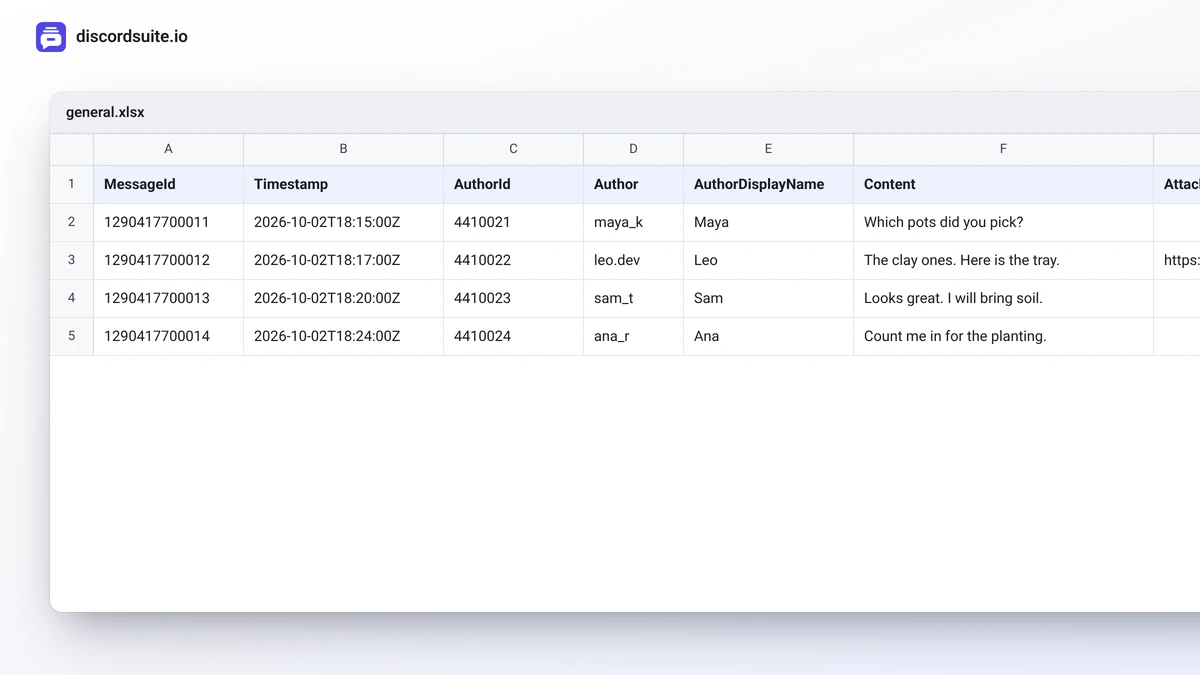
A Discord chat exported to a spreadsheet: one row per message with MessageId, Timestamp, AuthorId, Author, AuthorDisplayName and Content columns, and more columns off to the right.
In Excel or CSV, each message is one row with its own columns.
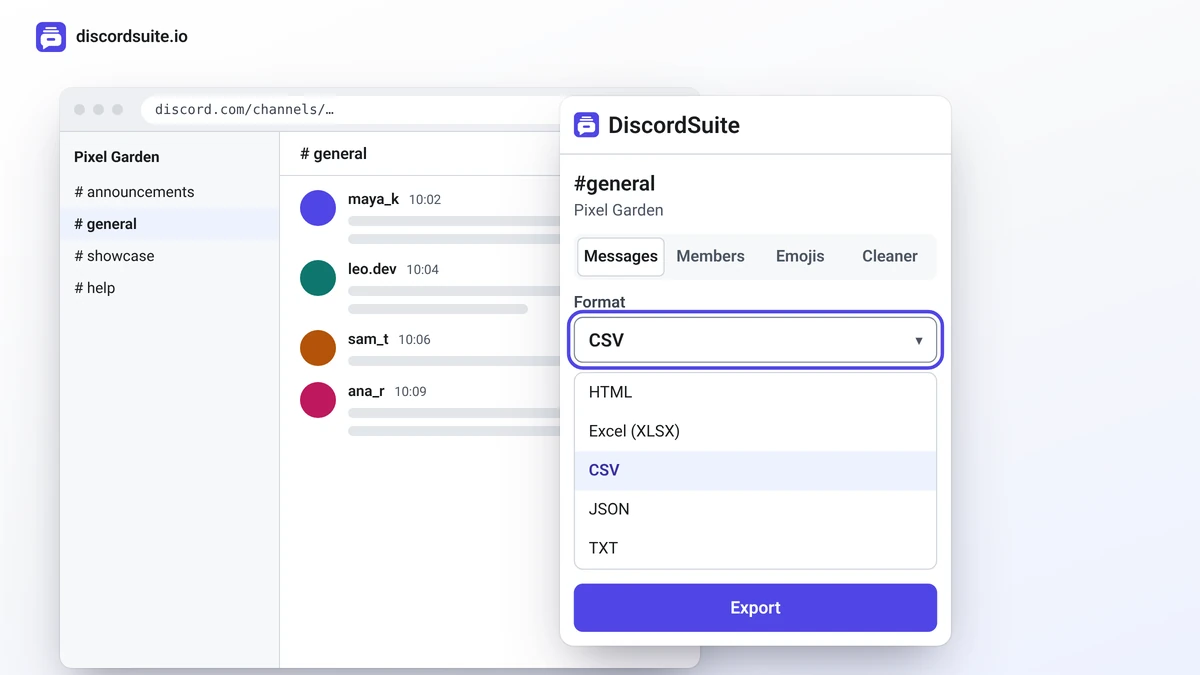
The DiscordSuite popup with the Format menu open, listing HTML, Excel (XLSX), CSV, JSON and TXT, and CSV selected, to export a Discord chat to Excel or CSV.
Choose Excel (XLSX) or CSV in the Format menu before you press Export.