Excel(XLSX)工作簿冻结标题行;CSV 适用于 Google Sheets、数据库或脚本。按需设置日期并导出,每条消息各占一行。
CSV 使用带字节顺序标记的 UTF-8。若字符异常,请按 UTF-8 导入。以 =、+、- 或 @ 开头的文本会加单引号转义。在 Google Sheets 选择文件 → 导入 → 上传;可按 Author 制作数据透视表或按日汇总 Timestamp。
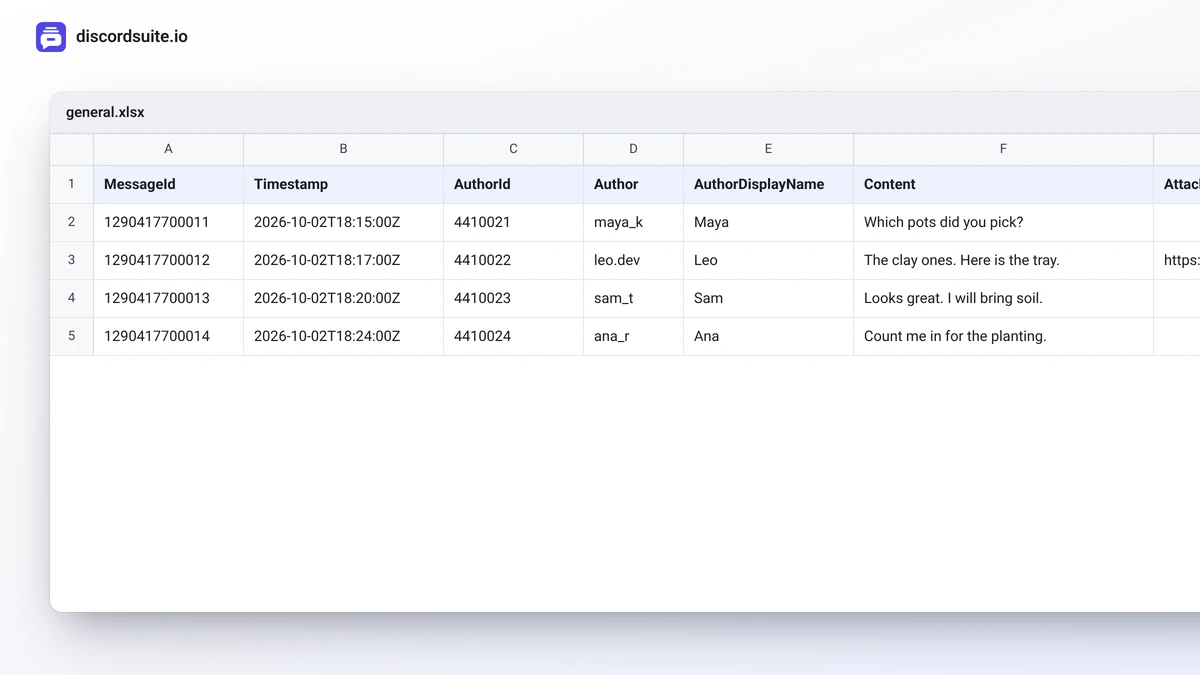
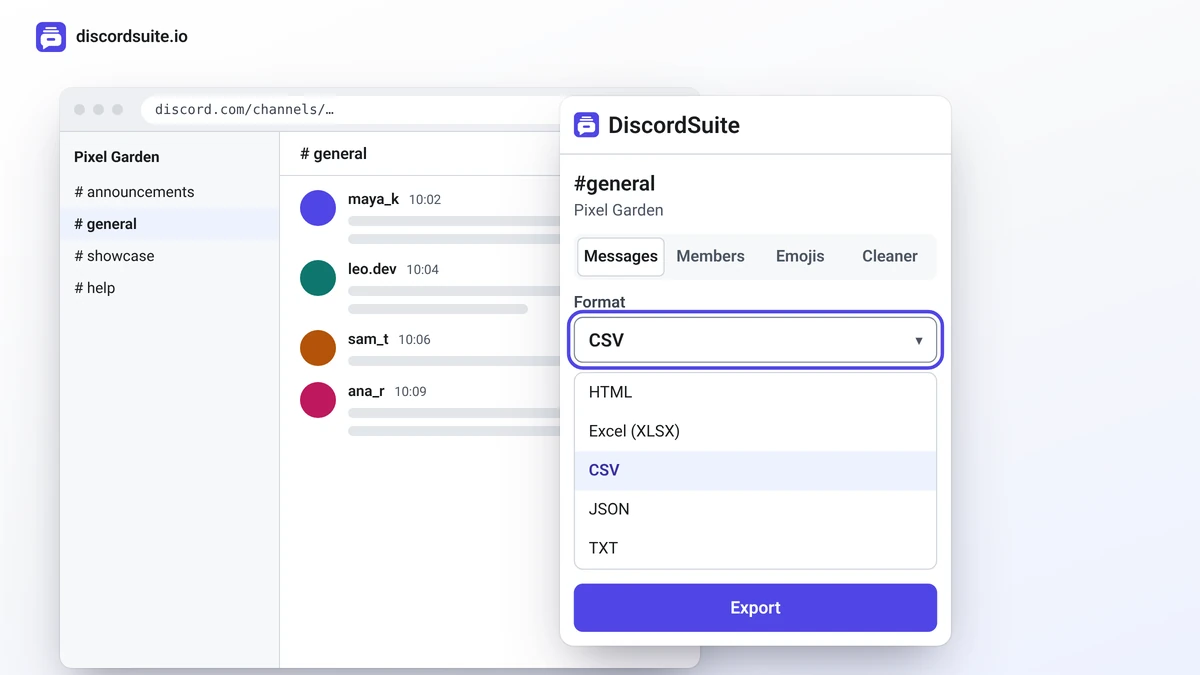
Excel(XLSX)工作簿冻结标题行;CSV 适用于 Google Sheets、数据库或脚本。按需设置日期并导出,每条消息各占一行。
CSV 使用带字节顺序标记的 UTF-8。若字符异常,请按 UTF-8 导入。以 =、+、- 或 @ 开头的文本会加单引号转义。在 Google Sheets 选择文件 → 导入 → 上传;可按 Author 制作数据透视表或按日汇总 Timestamp。