So exportierst du Discord-Chats als Excel oder CSV

Wähle Excel (XLSX) mit fixierter Kopfzeile oder CSV für Google Sheets, Datenbanken oder Skripte. Setze bei Bedarf Daten und exportiere: jede Nachricht eine Zeile.

CSV nutzt UTF-8 mit Byte-Order-Mark. Importiere bei falschen Zeichen als UTF-8. Text mit =, +, - oder @ am Anfang wird durch ein Apostroph maskiert. In Google Sheets: Datei → Importieren → Hochladen. Analysiere Author per Pivot-Tabelle oder gruppiere Timestamp nach Tagen.
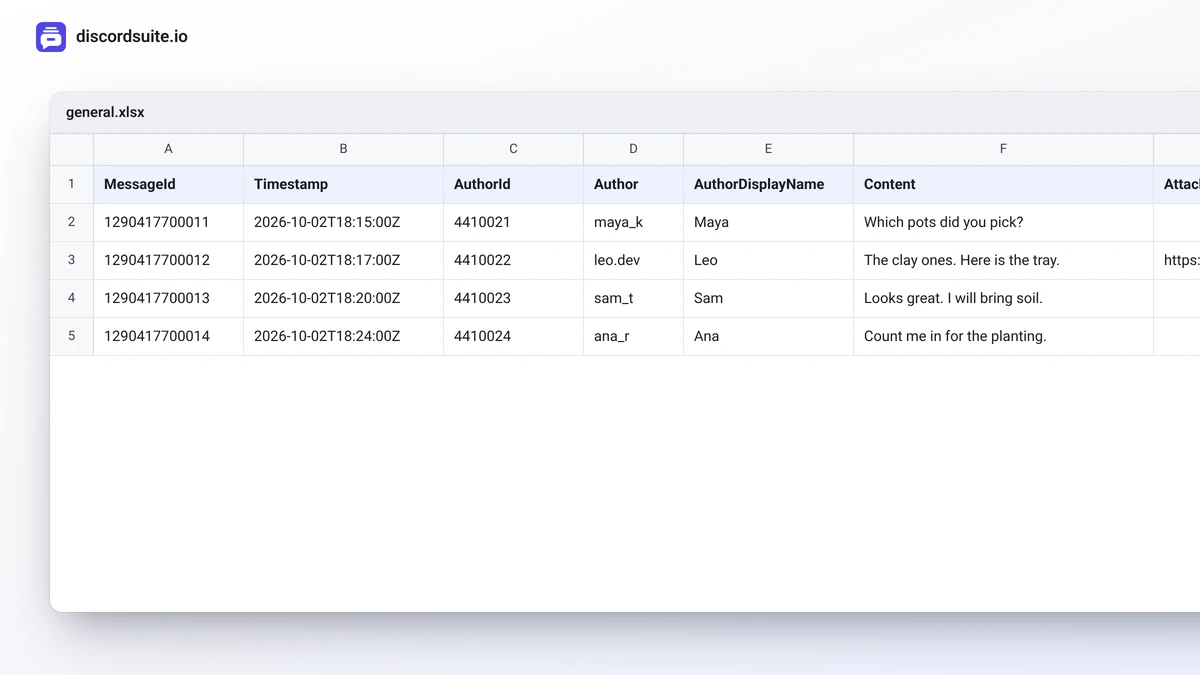
A Discord chat exported to a spreadsheet: one row per message with MessageId, Timestamp, AuthorId, Author, AuthorDisplayName and Content columns, and more columns off to the right.
In Excel or CSV, each message is one row with its own columns.
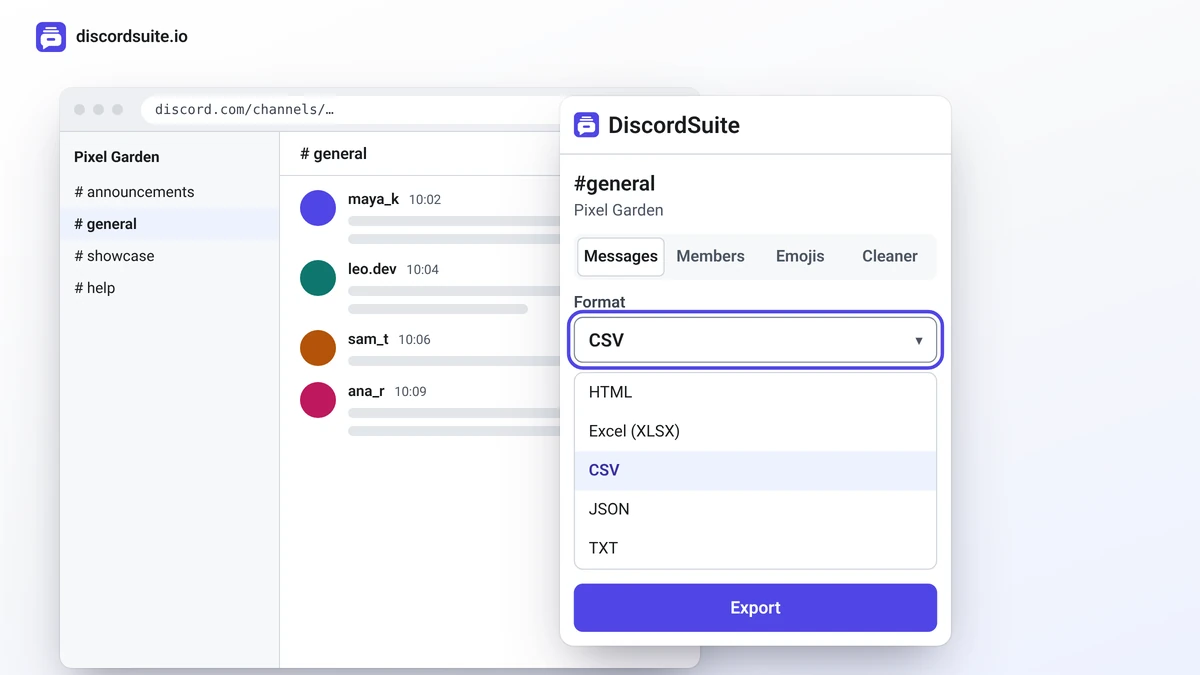
The DiscordSuite popup with the Format menu open, listing HTML, Excel (XLSX), CSV, JSON and TXT, and CSV selected, to export a Discord chat to Excel or CSV.
Choose Excel (XLSX) or CSV in the Format menu before you press Export.