디스코드 채팅을 Excel 또는 CSV로 내보내기

Excel(XLSX)은 머리글 행이 고정된 통합 문서이며 CSV는 Google Sheets, 데이터베이스나 스크립트에 적합합니다. 필요하면 날짜를 설정해 내보내세요. 메시지마다 한 행입니다.

CSV는 바이트 순서 표시가 있는 UTF-8입니다. 글자가 깨지면 UTF-8로 가져오세요. =, +, -, @로 시작하는 텍스트는 작은따옴표로 이스케이프합니다. Google Sheets에서 파일 → 가져오기 → 업로드를 선택하세요. Author로 피벗 테이블을 만들거나 Timestamp를 날짜별로 묶을 수 있습니다.
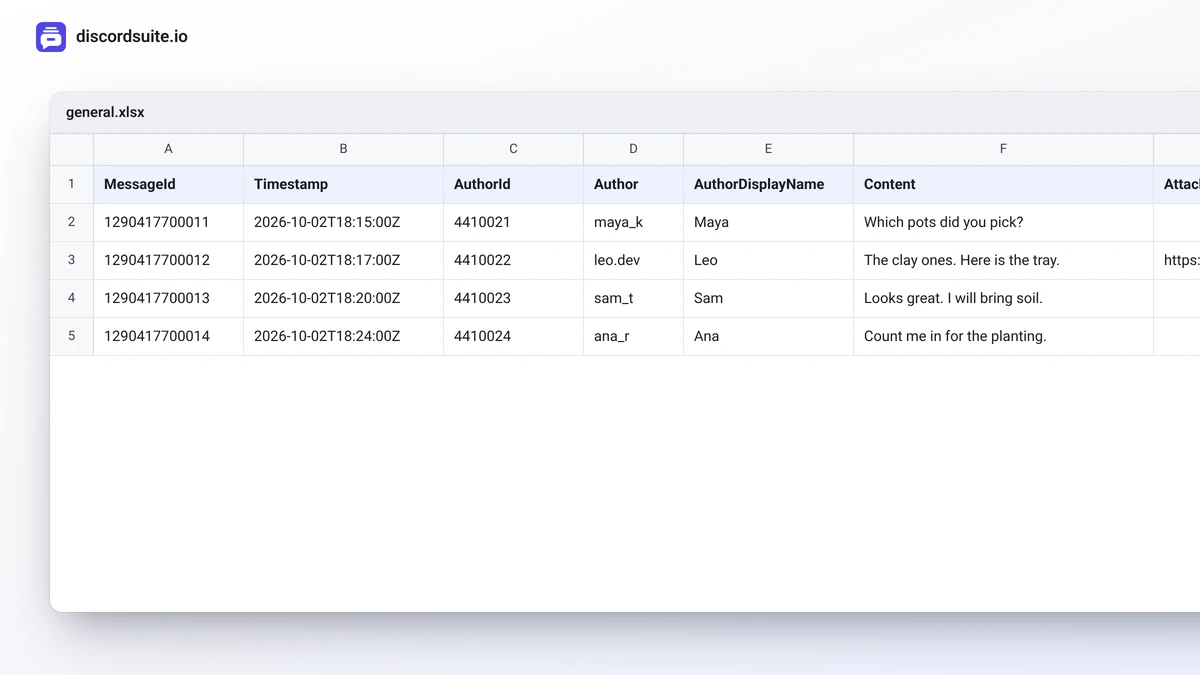
A Discord chat exported to a spreadsheet: one row per message with MessageId, Timestamp, AuthorId, Author, AuthorDisplayName and Content columns, and more columns off to the right.
In Excel or CSV, each message is one row with its own columns.
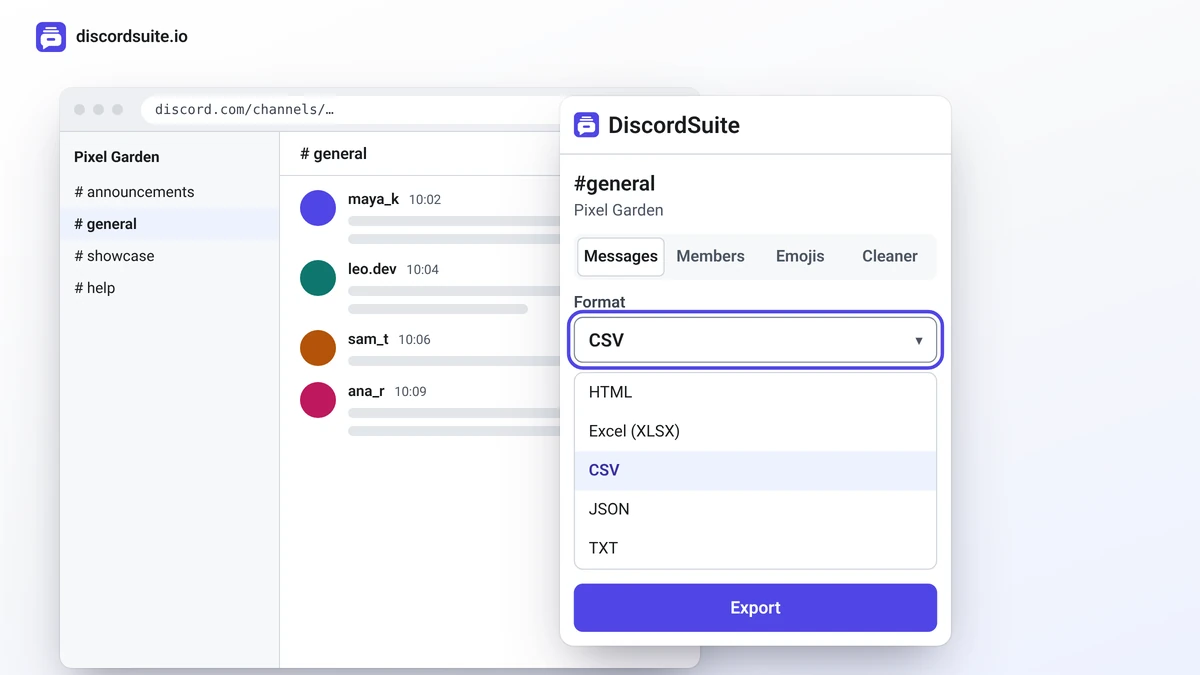
The DiscordSuite popup with the Format menu open, listing HTML, Excel (XLSX), CSV, JSON and TXT, and CSV selected, to export a Discord chat to Excel or CSV.
Choose Excel (XLSX) or CSV in the Format menu before you press Export.