Como exportar conversas do Discord para Excel ou CSV

Escolha Excel (XLSX) para uma pasta de trabalho com cabeçalho congelado ou CSV para Google Sheets, bancos de dados ou scripts. Defina datas se quiser e exporte: cada mensagem vira uma linha.

CSV usa UTF-8 com marca de ordem de bytes. Se houver caracteres estranhos, importe como UTF-8. Texto iniciado por =, +, - ou @ recebe um apóstrofo de escape. No Google Sheets, use Arquivo → Importar → Fazer upload. Analise Author com tabela dinâmica ou agrupe Timestamp por dia.
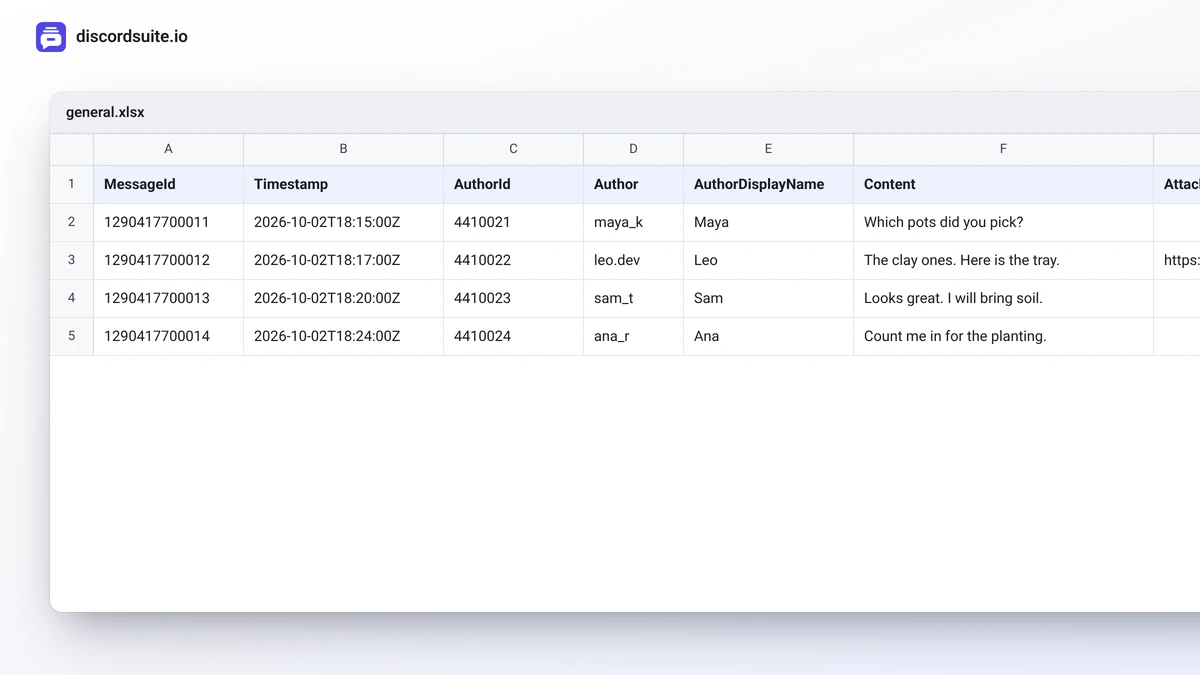
A Discord chat exported to a spreadsheet: one row per message with MessageId, Timestamp, AuthorId, Author, AuthorDisplayName and Content columns, and more columns off to the right.
In Excel or CSV, each message is one row with its own columns.
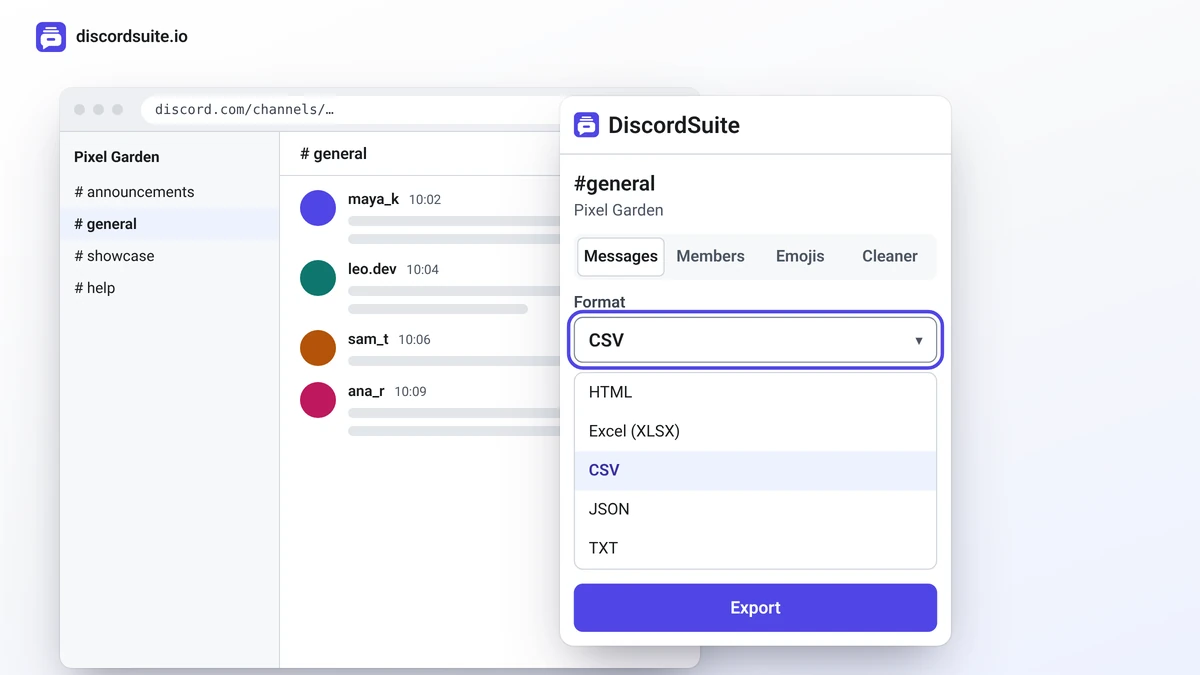
The DiscordSuite popup with the Format menu open, listing HTML, Excel (XLSX), CSV, JSON and TXT, and CSV selected, to export a Discord chat to Excel or CSV.
Choose Excel (XLSX) or CSV in the Format menu before you press Export.