Discord chat exporter: export any Discord chat to a file
What it does
Chat Exporter works inside the DiscordSuite browser extension, on the Discord conversation you have open.
Any chat your account can open
server channels, threads, DMs and group DMs, with both sides of a conversation.
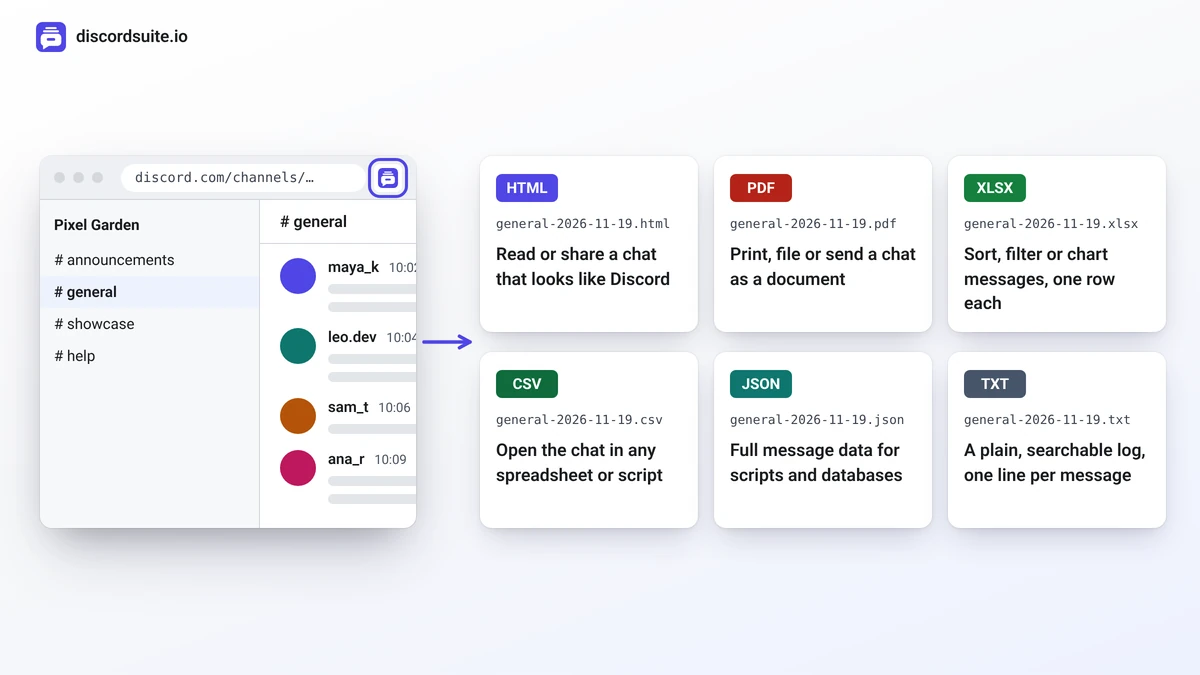
Six formats
HTML, PDF, Excel (XLSX), CSV, JSON and TXT. HTML can be auto, light or dark. See export formats.
Part of a chat or all of it
set From and To dates (UTC, both days included), or the first or last N messages. Leave the dates empty to start from the first message.
Only the messages you want
message filters keep one person's messages, text, attachments, links, mentions or pins.
No token or bot
chat export uses the Discord session already open in your browser. Member Exporter is the exception: it uses your own bot.
Built on your computer
exports are built on your computer. Your messages are never uploaded to us. A Cancel button stops an export while it runs.
What it can't do
it can't recover deleted messages, export chats your account can't open, or export forum channels. It works in a desktop browser, not in the Discord app or on phones.
How to use it
- 1
Install DiscordSuite for Chrome, Firefox or Edge. How DiscordSuite works covers install and permissions.
- 2
Open the channel, thread or DM at discord.com in that browser.
- 3
Click the DiscordSuite icon and pick a format.
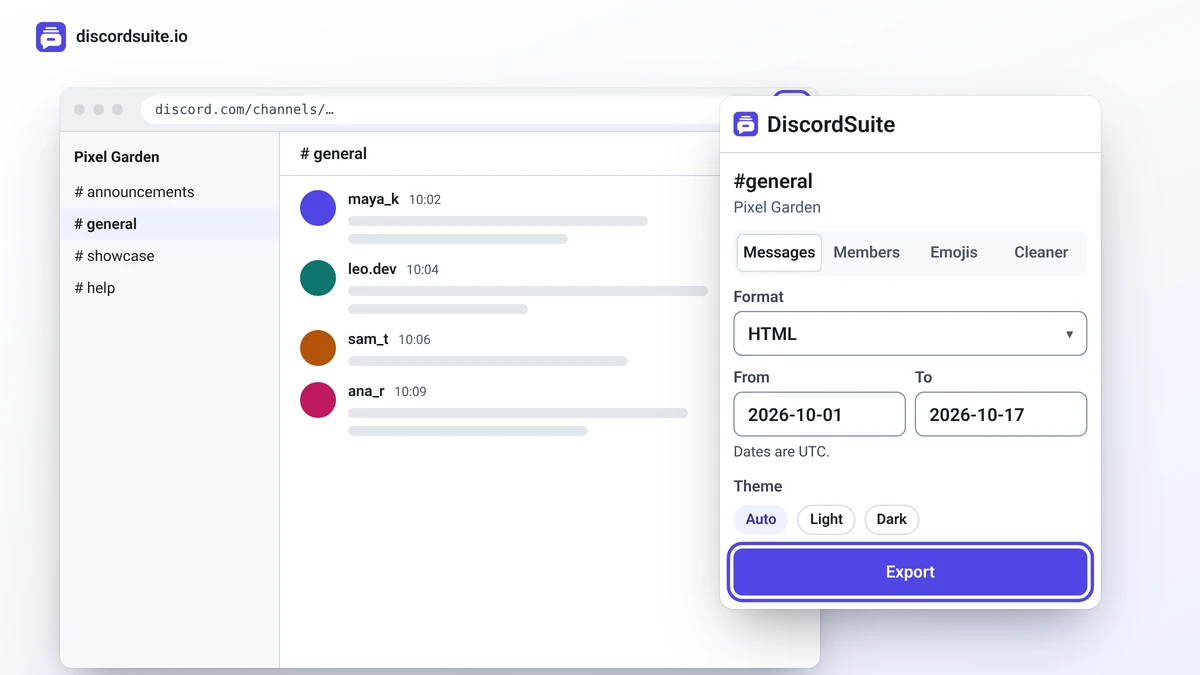
Click the DiscordSuite icon, pick a format and click Export. - 4
Optional: set dates, the first or last N messages, or filters.
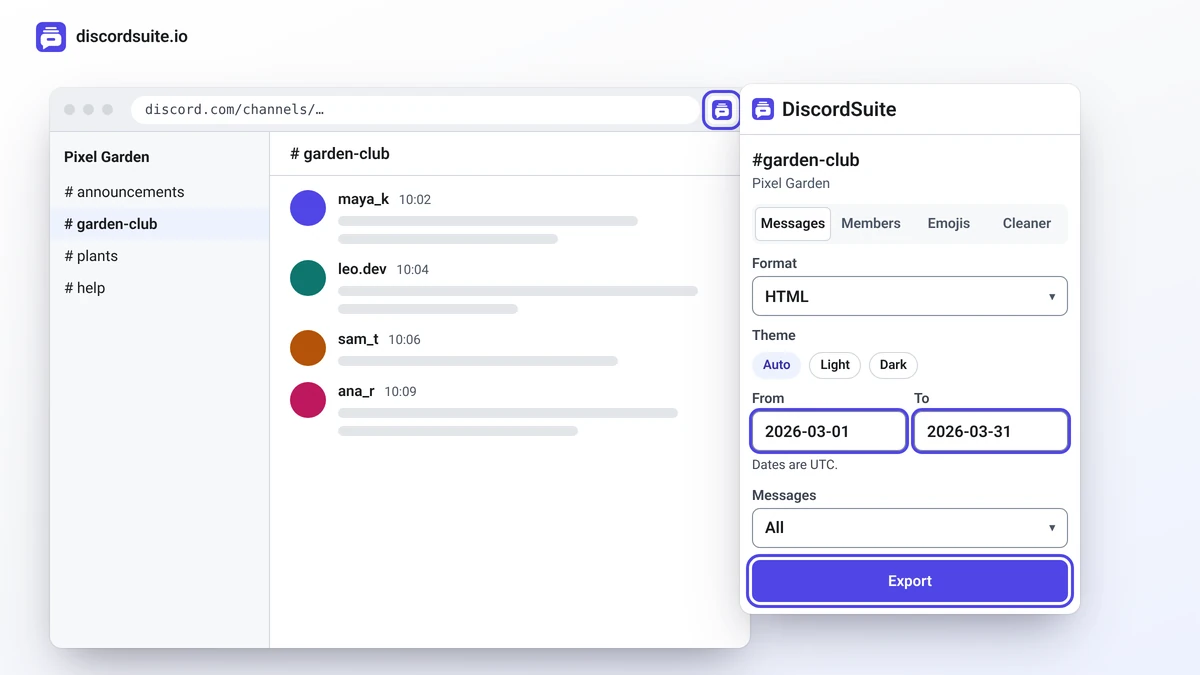
Set From and To dates (UTC) to export only part of a chat. 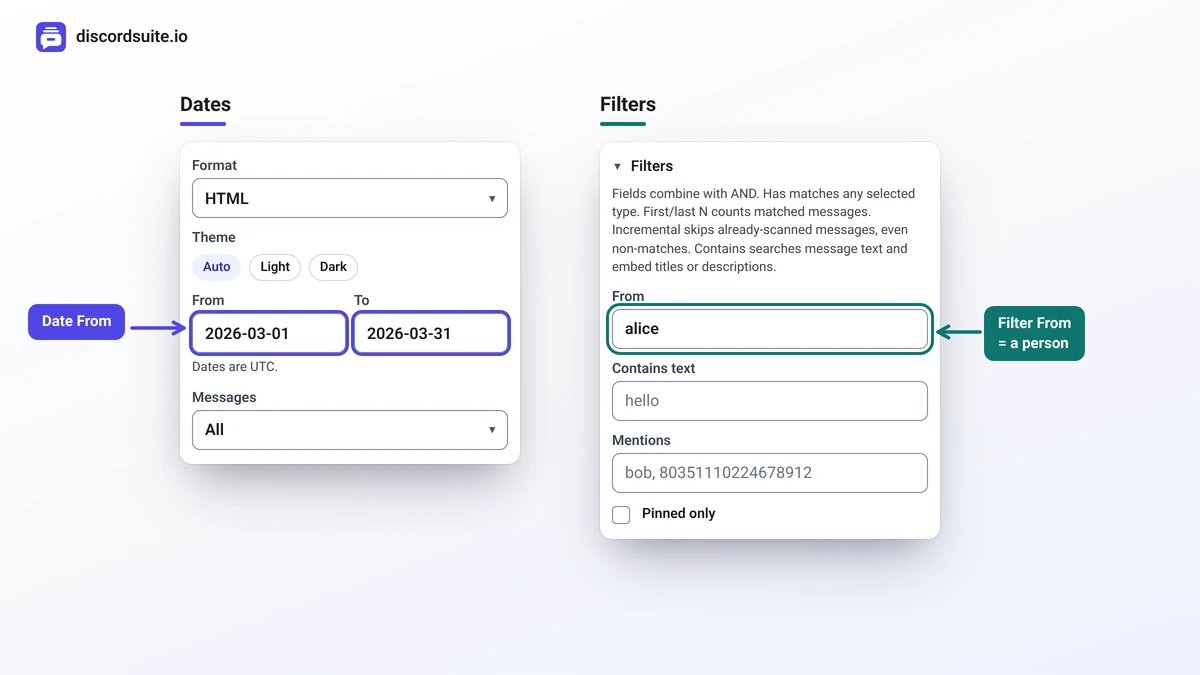
Filters keep one person's messages, or text, mentions and pinned messages. - 5
Click Export and choose where to save the file.
The full walkthrough is How to export a Discord chat. For a DM, see How to export Discord DMs.
Discord chat downloader: pick the format for the job
Discord has no button to save a conversation, so "downloading" a chat means exporting it to a file on your computer.
| Format | Use it to |
|---|---|
| HTML | Read or share a chat that looks like Discord |
| Print, file or send a chat as a document | |
| Excel (XLSX) | Sort, filter or chart messages, one row each |
| CSV | Open the chat in any spreadsheet or script |
| JSON | Feed scripts, databases or AI tools the full message data |
| TXT | Keep a plain, searchable log, one line per message |
For spreadsheets, see how to export a Discord chat to Excel or CSV. For a document, see how to save a Discord chat as a PDF.
Best Discord chat export extension: what to compare
Discord chat export extensions differ in what they save, which formats they write and how they sign in. DiscordSuite's Chat Exporter saves server channels, threads, DMs and group DMs your account can open, as HTML, PDF, Excel (XLSX), CSV, JSON or TXT, in Chrome, Firefox and Edge. Chat export uses the Discord session already open in your browser. There is no token to paste, and exports are built on your computer. It is one of five tools in the same extension: Chat Exporter, Media Downloader, Member Exporter, Emoji & Sticker Downloader and Message Cleaner.
As of November 2026, Discrub's store page lists HTML, CSV, JSON, plain text and media-only exports. DiscordSuite's six formats include Excel (XLSX) and PDF, and the same extension adds member list export and an emoji and sticker downloader. For a sourced side-by-side, read DiscordSuite vs Discrub. For a sourced side-by-side with the open-source desktop app, read DiscordSuite vs DiscordChatExporter. For other browser extensions, see Discord chat exporter alternatives and DiscordSuite vs Discrub.
Is it safe?
Chat export reads what your account can already open and never asks for your password. Discord's Terms of Service restrict automating user accounts, and that applies to any tool that uses your account, so use it at your own discretion. The full answer is in Is a Discord chat exporter safe?
Free vs Chat Exporter
The free plan exports chats in every format, with date ranges, the first or last N messages and message filters. The free message allowance is a lifetime total, with a one-time bonus for leaving a review.
Chat Exporter (or the All tools bundle) has no message limit and adds attachments in one ZIP with the export, several channels at once, only new messages since your last export, and export of all DMs and group DMs. See how to back up Discord server messages. Compare Free and paid tools.
Frequently asked questions
What is a Discord chat exporter?
A Discord chat exporter saves the messages from a Discord channel, thread or DM to a file you keep, with each message's author and time. DiscordSuite's Chat Exporter is a browser extension for Chrome, Firefox and Edge. Some other exporters are desktop or command-line apps.
What is the best Discord chat export extension?
For saving a Discord chat to a file, DiscordSuite's Chat Exporter covers server channels, threads, DMs and group DMs in six formats: HTML, PDF, Excel (XLSX), CSV, JSON and TXT, in Chrome, Firefox and Edge. Chat export uses the Discord session already open in your browser. There is no token to paste. It is one of five tools in one extension, and every format is on the free plan. Compare it with Discrub on DiscordSuite vs Discrub.
How do I export a Discord chat?
Open the channel, thread or DM at discord.com in Chrome, Firefox or Edge, click the DiscordSuite icon, pick a format and click Export. Step by step: How to export a Discord chat.
Which formats can I export a Discord chat to?
HTML, PDF, Excel (XLSX), CSV, JSON and TXT. Every format is on the free plan. See export formats.
Do I need a token or a bot to export a Discord chat?
No. Chat export uses the Discord session already open in your browser. You don't paste a token or add a bot. Member Exporter is the exception: it uses your own bot. Automated access to user accounts may violate Discord's Terms, and we don't promise that using any exporter is safe for your account.
Is there a free Discord chat exporter?
Yes. The free plan covers every format, date ranges, the first or last N messages and message filters. The free message allowance is a lifetime total, with a one-time bonus for leaving a review. Chat Exporter (or the All tools bundle) has no message limit. See pricing.
Can the Discord chat exporter save forum posts or recover deleted messages?
No. Forum channels aren't a supported export, and DiscordSuite exports only messages that still exist and that your account can see.
Does the Discord chat exporter work on a phone?
No. It is a browser extension for Chrome, Firefox and Edge on a computer. It doesn't run inside the Discord desktop app or on phones.