如何匯出 Discord 聊天紀錄
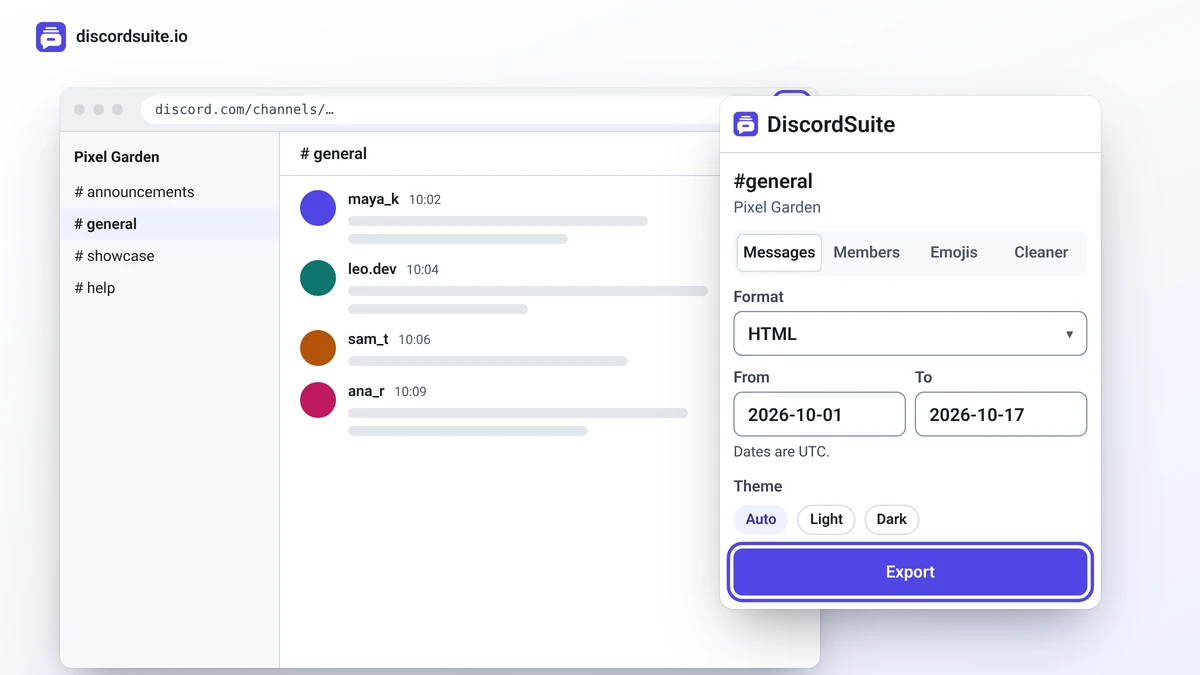
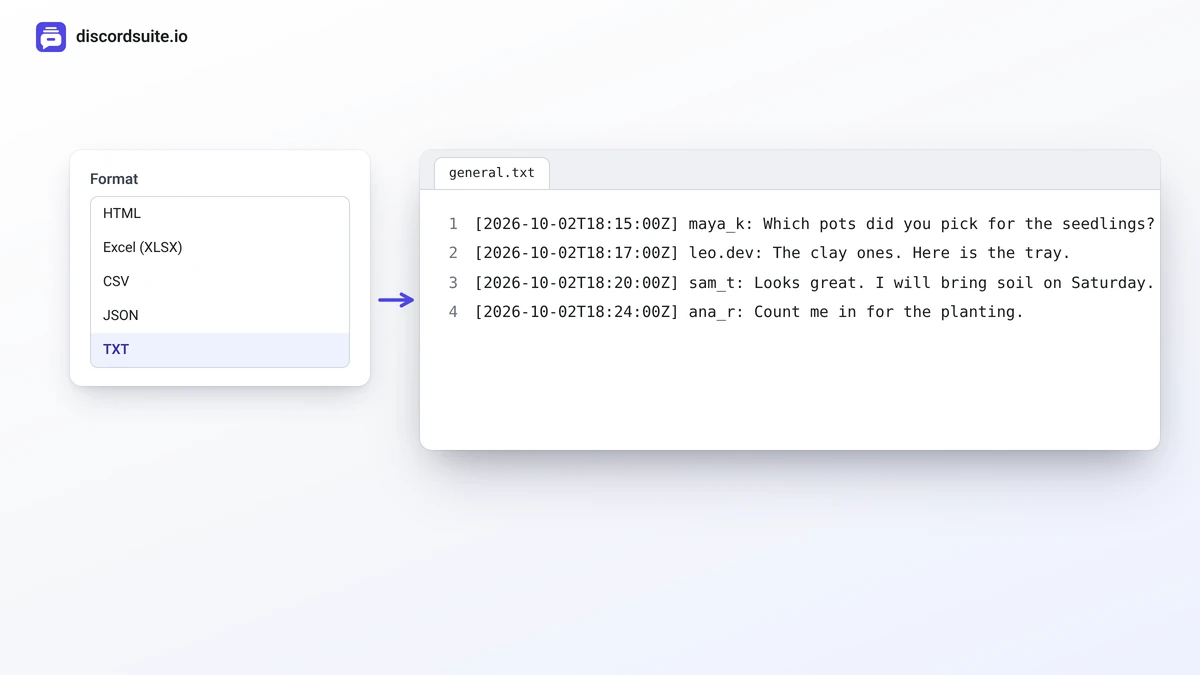
若要匯出 Discord 聊天,請在 Chrome、Firefox 或 Edge 的 Discord 開啟該頻道,點選 DiscordSuite 擴充功能,選擇一種格式(HTML、PDF、CSV、Excel、JSON 或 TXT),然後點選匯出。檔案會儲存到你的電腦。
- 1
在電腦上的 Chrome、Firefox 或 Edge 安裝 DiscordSuite,並在瀏覽器開啟 discord.com。
- 2
開啟你能讀取的頻道或討論串,再開啟 DiscordSuite。
- 3
選擇格式,並視需要設定日期、最早或最新 N 則及篩選條件。
- 4
選擇匯出並儲存檔案,檢查結果與錯誤提示。
- 5
匯出討論串前請開啟它自己的網址。請勿假設已封存、已鎖定或私人討論串與開放討論串的行為相同。
- Chat Exporter 或 All tools 支援多個頻道、僅新訊息,以及將附件與聊天一起打包成 ZIP。每個頻道各自儲存為檔案。
- DiscordSuite 可以將聊天儲存為 PDF。請在「格式」選單中選擇 PDF,然後點選匯出。
- Discord 沒有儲存對話的按鈕。「儲存」或「下載」Discord 訊息,指的是把它們匯出成電腦上的檔案。Discord 自己的資料封裝只包含你傳送過的訊息。
- 如果之後要刪除自己傳送的訊息,請先匯出,再使用 Message Cleaner。Message Cleaner 只會在你掃描並輸入 DELETE 確認之後,刪除你自己傳送的訊息。
如何使用 Discord 聊天匯出工具?
在 Chrome、Firefox 或 Edge 中安裝 DiscordSuite,開啟 discord.com 上的頻道、討論串或私訊,點選 DiscordSuite 圖示,選擇格式並點選匯出。聊天匯出使用瀏覽器中已開啟的 Discord 工作階段,無需貼上權杖。請參閱 Chat Exporter 頁面。
如何儲存一段 Discord 對話?
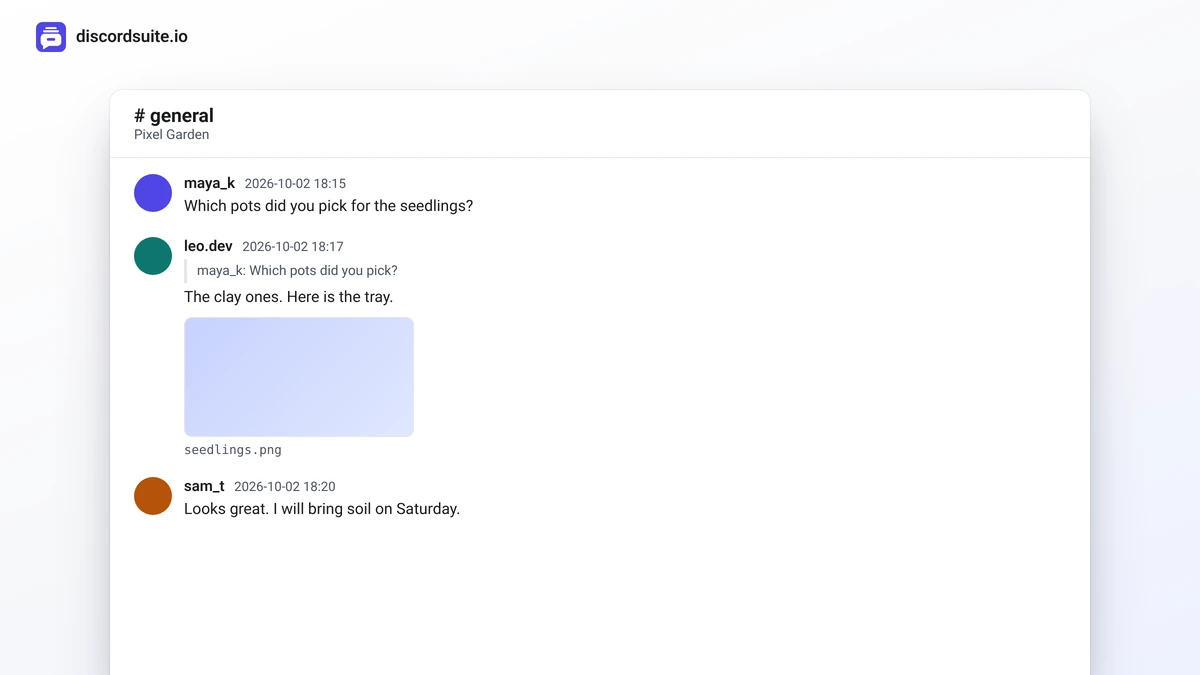
把它匯出為檔案。開啟對話,點選 DiscordSuite,選擇 HTML 以便日後像在 Discord 中一樣閱讀,選擇 PDF 以便列印或歸檔,選擇 TXT 得到純文字紀錄,或選擇 Excel、CSV、JSON 處理資料,然後點選匯出。Discord 自帶的資料包只包含你傳送的訊息。