如何刪除自己傳送的 Discord 訊息

先儲存副本,再掃描目前聊天並確認無法復原的刪除。

  1. 1

    若要保留對話,請先匯出副本。

  2. 2

    開啟私訊、群組私訊、頻道或討論串,選擇 Message Cleaner。

  3. 3

    視需要設定 UTC 日期,掃描後查看數量與日期範圍。

  4. 4

    輸入面板顯示的詞,確認瞭解刪除無法復原,再開始刪除。

  5. 5

    取消無法復原已完成的刪除。帳號、聊天或日期改變後請重新掃描。

  • 不會刪除斜線指令訊息、投票或系統訊息。伺服器管理員也不能藉此刪除他人的訊息。選填日期以 UTC 解讀,包含起訖兩天。
  • 帳號、聊天或日期改變後必須重新掃描。取消只能停止後續操作,無法復原已刪除內容。Discord 可能限制自動化操作的帳號;控制速度不代表保證。
  • 在找 Discord 訊息刪除工具?DiscordSuite 中的 Message Cleaner 就是。它只刪除你自己的訊息。
  • Undiscord 是人們用來做這件事的使用者腳本之一。其 README 警告說,任何對使用者帳號自動執行操作的工具都可能導致帳號被終止。並排對比請參閱 Message Cleaner 與 Undiscord 對比。
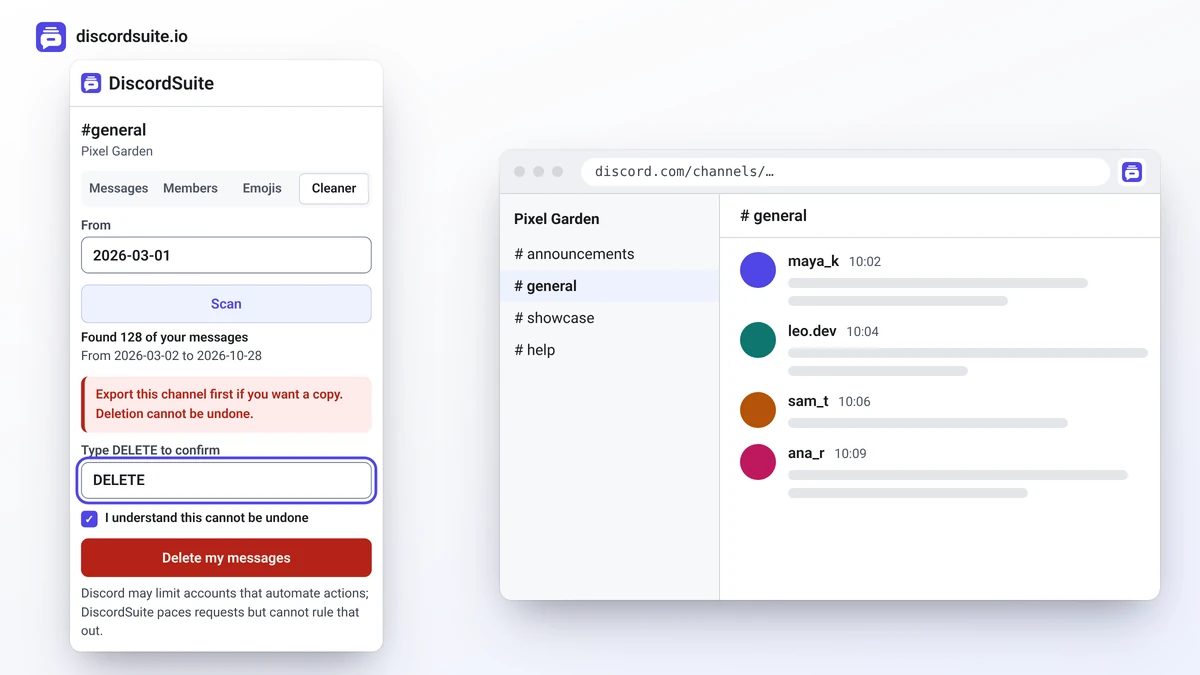
The DiscordSuite Message Cleaner tab after a scan found 128 of your messages, with the export-first warning, the Type DELETE to confirm box, an I understand checkbox, the Delete my messages button and the Discord account notice.
Message Cleaner scans first, asks you to type DELETE, and warns that deletion cannot be undone.
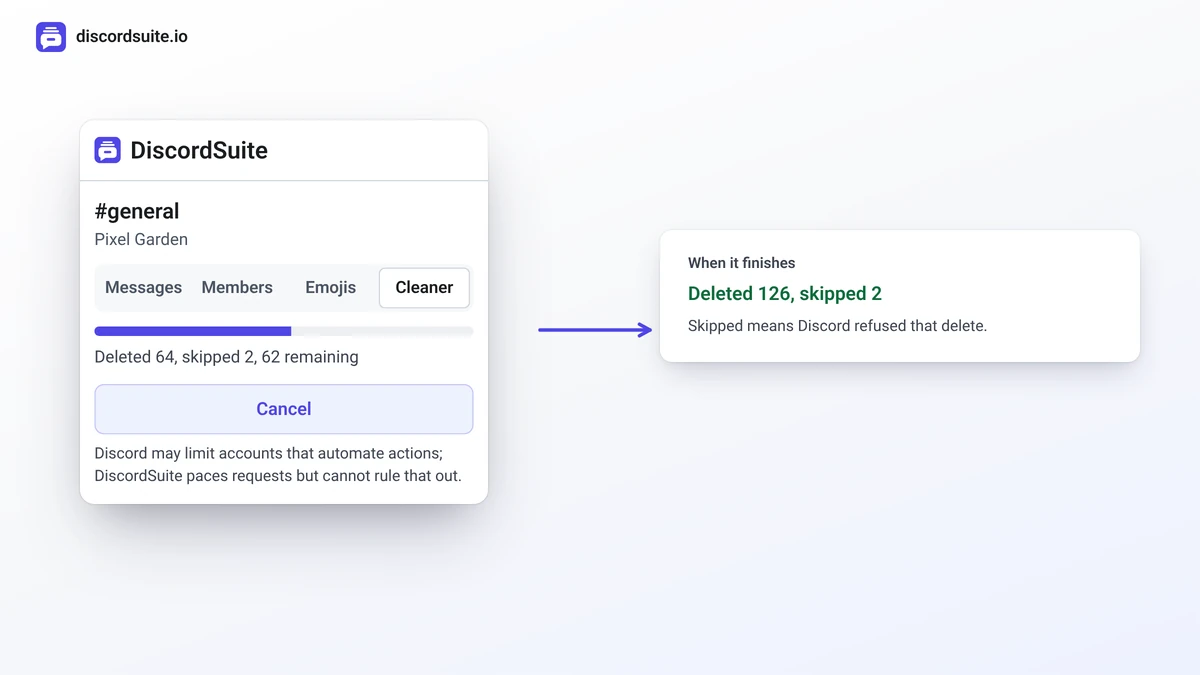
The Message Cleaner while it runs: a progress bar, a count of deleted, skipped and remaining messages and a Cancel button, beside the summary shown when it finishes.
While it runs you can watch the count and press Cancel.
有不需要腳本的 Discord 訊息刪除工具嗎?

有。Message Cleaner 是瀏覽器擴充功能中的工具,所以無需貼上腳本,也無需安裝使用者腳本管理器。它只會在你掃描、輸入 DELETE 並勾選確認項之後,刪除你當前開啟的聊天中你自己的普通訊息和回覆。Discord 可能限制自動執行操作的帳號,而且刪除的訊息無法找回。