如何删除自己发送的 Discord 消息

先保存副本,再扫描当前聊天并确认不可撤销的删除。

  1. 1

    如需保留对话,先导出副本。

  2. 2

    打开私信、群组私信、频道或讨论串,选择 Message Cleaner。

  3. 3

    按需设置 UTC 日期,扫描并查看数量和日期范围。

  4. 4

    输入 DELETE,确认理解删除不可撤销,再开始删除。

  5. 5

    取消无法撤销已完成的删除。账号、聊天或日期变化后请重新扫描。

  • 不会删除斜杠命令消息、投票或系统消息。服务器管理员也不能借此删除他人的消息。可选日期按 UTC 解释,并包含起止两天。
  • 账号、聊天或日期改变后必须重新扫描。取消只能停止后续操作,无法恢复已删除内容。Discord 可能限制自动化操作的账号;控制速度不代表保证。
  • 在找 Discord 消息删除工具?DiscordSuite 中的 Message Cleaner 就是。它只删除你自己的消息。
  • Undiscord 是人们用来做这件事的用户脚本之一。其 README 警告说,任何对用户账号自动执行操作的工具都可能导致账号被终止。并排对比请参阅 Message Cleaner 与 Undiscord 对比。
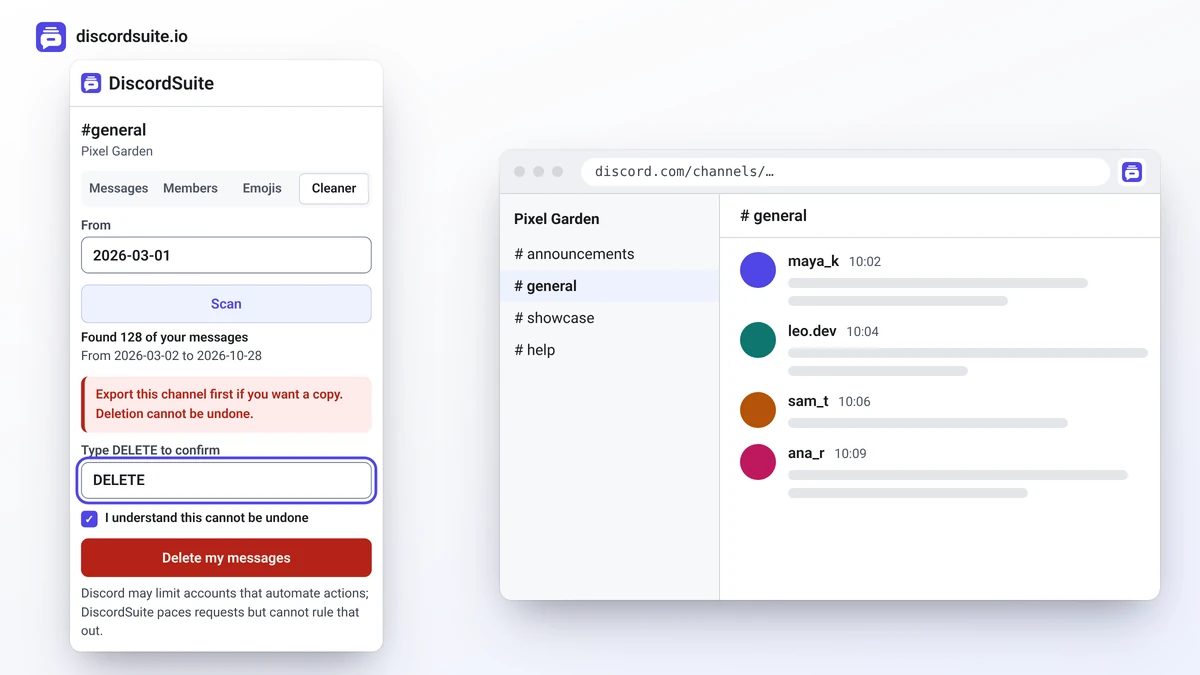
The DiscordSuite Message Cleaner tab after a scan found 128 of your messages, with the export-first warning, the Type DELETE to confirm box, an I understand checkbox, the Delete my messages button and the Discord account notice.
Message Cleaner scans first, asks you to type DELETE, and warns that deletion cannot be undone.
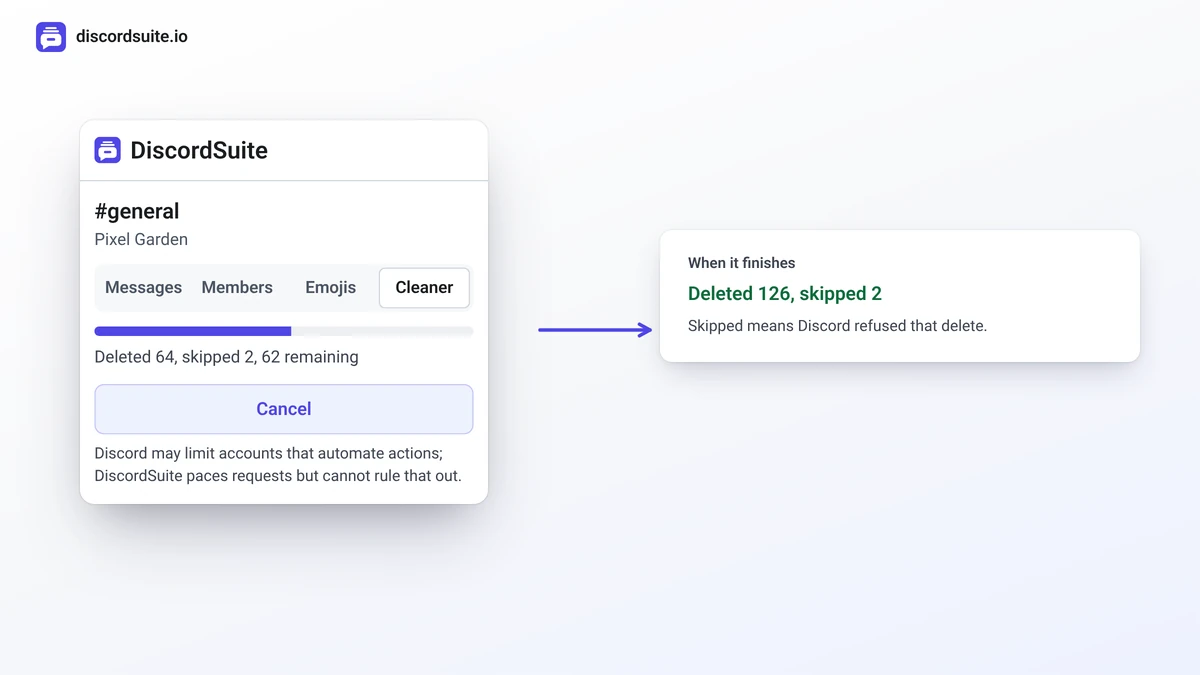
The Message Cleaner while it runs: a progress bar, a count of deleted, skipped and remaining messages and a Cancel button, beside the summary shown when it finishes.
While it runs you can watch the count and press Cancel.
有不需要脚本的 Discord 消息删除工具吗?

有。Message Cleaner 是浏览器扩展中的工具,所以无需粘贴脚本,也无需安装用户脚本管理器。它只会在你扫描、输入 DELETE 并勾选确认项之后,删除你当前打开的聊天中你自己的普通消息和回复。Discord 可能限制自动执行操作的账号,而且删除的消息无法找回。