How to save Discord messages as a record
[timestamp] author: message. To keep the files themselves, use Download attachments (Chat Exporter or All tools) so the export and the attachments come in one ZIP. Screenshots alone leave out messages, times and files that are not on screen. DiscordSuite can also save a chat as a PDF: pick PDF in the Format menu. A PDF is a convenience copy, not a certified or special legal format. This is not a substitute for Discord's own process or for legal advice.Is this legal advice?
No. This page explains what a DiscordSuite export contains and how to make one. It does not say whether a file will be accepted by a court, a school, an employer, the police or anyone else. If you need a record for a legal matter, consult a lawyer.
Why is a full export more complete than screenshots?
A screenshot shows only what fits on the screen. Earlier messages, exact times, and files that were posted but not opened are easy to miss. An export saves every message in the range you choose, each with its author and timestamp, in one file. HTML and JSON can also list the attachments, and Download attachments saves the files themselves.
An export only includes messages that still exist and that your account can see. It cannot bring back deleted messages.
What do I need?
- Chrome, Firefox or Edge on a computer, with Discord open at discord.com. DiscordSuite doesn't run in the Discord desktop app or on phones.
- A Discord account that can open the channel, thread, DM or group DM.
- DiscordSuite for Chrome, Firefox or Edge. How DiscordSuite works covers installing it and what it can access.
Which format should I keep?
HTML
a readable copy that looks like Discord, with names, timestamps, replies and image previews.
JSON
a structured copy with author details, content, attachments, embeds, stickers, reactions, mentions, replies and polls.
CSV or Excel
a table with one row per message. Columns include MessageId, Timestamp, AuthorId, Author, AuthorDisplayName, Content, Attachments, Reactions, ReplyTo, Edited and Pinned.
TXT
a plain log, one line per message:
[timestamp] author: message.
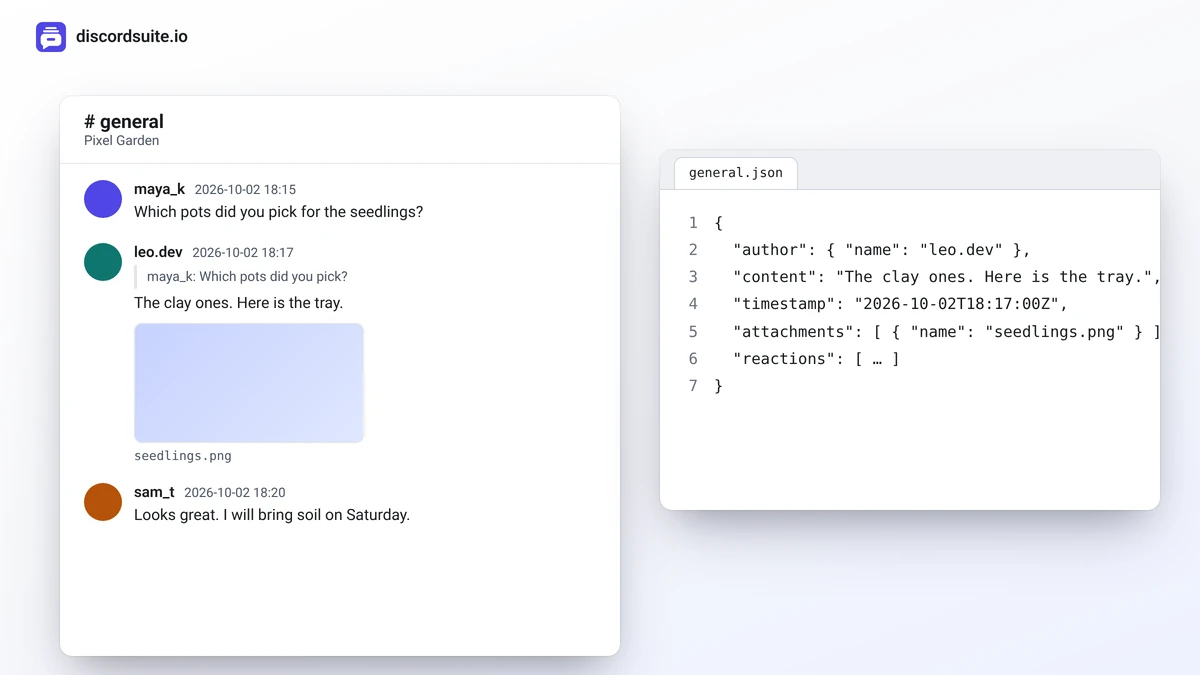
Many people keep HTML to read and JSON alongside it. The six formats are HTML, PDF, Excel, CSV, JSON and TXT; the export formats page lists what each file contains. For a PDF copy, see How to save a Discord chat as a PDF.
How do I export the conversation?
- 1
Open the channel, thread, DM or group DM at discord.com.
- 2
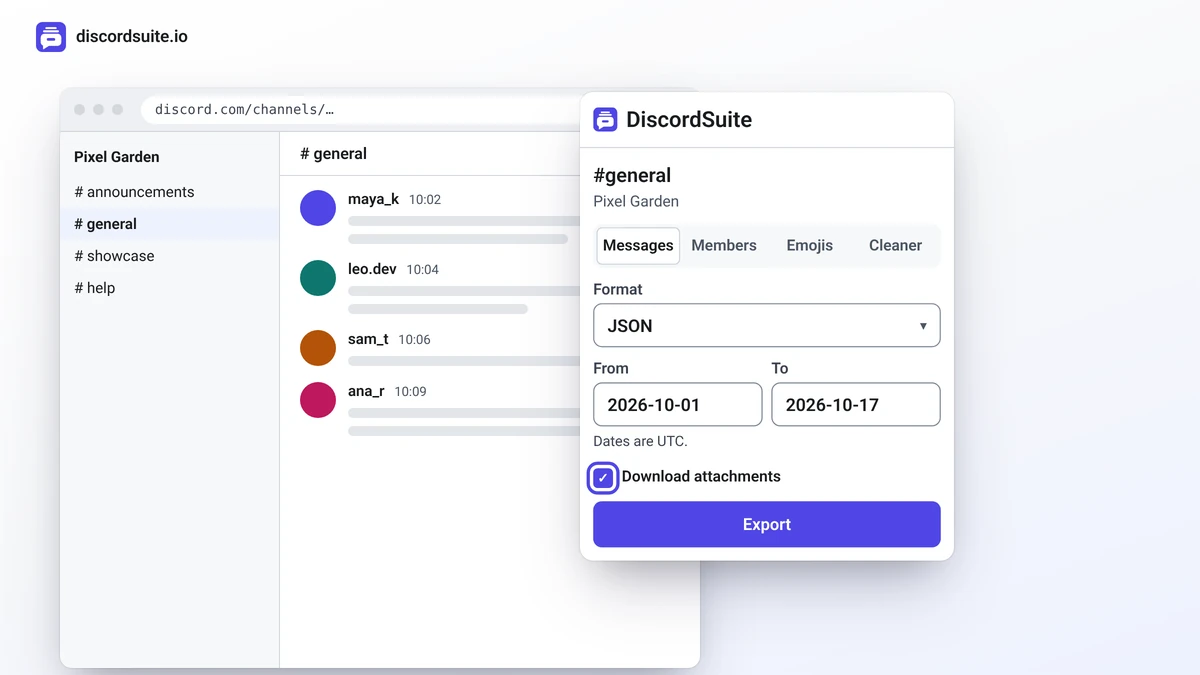
Click the DiscordSuite icon and stay on the Messages tab.
- 3
Choose a format, such as HTML or JSON.
- 4
Optional: set From and To dates (UTC, both days included), the first or last N messages, or Filters.
- 5
Optional: tick Download attachments (Chat Exporter or All tools) to get the files in the same ZIP.
- 6
Click Export and save the file.
Run the export again with another format if you want both HTML and JSON. How to export a Discord chat walks through the popup. For a DM, see How to export Discord DMs; for a thread, see How to export a Discord thread.
How do I keep the attachments too?
With Download attachments (Chat Exporter or the All tools bundle), the export and the attachments come in one ZIP. After you unzip it, the HTML file points at the local files.
Without that option, images and other previews in the HTML load from Discord's CDN when you open the file, so the export holds the messages but not copies of the files. To save only the files, see how to download all attachments from a Discord channel. How to back up Discord server messages covers attachments and several channels. For archiving a whole channel before it's hidden or deleted, see the archive guide.
Should I also save a PDF?
That's optional, as a convenience copy. Pick PDF in the Format menu and click Export. A PDF is not certified and not a special legal format, so keep an HTML or JSON export too. Step by step: How to save a Discord chat as a PDF.
What if I no longer have access to the conversation?
DiscordSuite can only export messages your account can still open. If you left a server, you would need to rejoin it, if it lets you, and open the channel again.
Discord's own data package is a separate, official path. It is account-wide and holds the messages you sent. See Discord's data package vs a chat exporter. We can't promise what Discord will produce or keep.
Where do I find Discord's official process?
Discord explains how it handles requests from law enforcement on its Working with law enforcement page. DiscordSuite does not file requests with Discord or with law enforcement, and does not submit files for you. A lawyer can tell you which process applies to you.
If you're thinking about deleting your own messages later, export first. Deletion cannot be undone.
Frequently asked questions
Can I save Discord messages as evidence?
You can save a copy of a conversation you can open, as HTML or JSON (with authors and timestamps) and, with Chat Exporter or All tools, attachments in a ZIP. This is not legal advice, and we do not say a court or anyone else will accept the file.
Does the export include authors and timestamps?
Yes, in HTML, JSON, CSV, Excel and TXT, for the messages included in the export.
Can DiscordSuite save a PDF for evidence?
Yes, DiscordSuite can save a chat as a PDF: pick PDF in the Format menu and click Export. It is a convenience copy, not a certified or special legal format, so keep an HTML or JSON export too.
Should I consult a lawyer?
Yes, if you need a record for a legal matter. This page is not legal advice.
Can I export a DM or a thread this way?
Yes, if you can open it. The steps are the same as for a channel.
Related: Export formats · How to export a Discord chat · How to save a Discord chat as a PDF · Discord data package vs a chat exporter · All guides