How to archive a Discord channel (Discord archiver)
What does "archive a Discord channel" mean here?
Two separate jobs that people often mean together:
Keep a copy
of the channel's messages and files on your computer. DiscordSuite does this.
Take the channel out of everyday view
in the server, by hiding, locking or deleting it. That happens in Discord, and only people with the right server permissions can do it.
This guide covers one channel: export a copy, then decide what to do with the channel. To back up several channels, or only the messages posted since your last export, see How to back up Discord server messages.
Does Discord download the channel for me?
No. Discord has no built-in download of a channel's full message and file history as a folder you keep. Hiding or locking a channel keeps it inside Discord; it doesn't give you a copy.
Discord's data package is a different, official path. It is account-wide and holds the messages you sent, not everyone's messages in a channel. See Discord's data package vs a chat exporter.
How do I export the channel first?
- 1
Open the channel at discord.com in Chrome, Firefox or Edge.
- 2
Click the DiscordSuite icon and stay on the Messages tab.
- 3
Choose HTML, or JSON if you want a structured copy.
- 4
Optional: set From and To dates, the first or last N messages, or Filters. Leave them empty to export the whole history.
- 5
Tick Download attachments if you have Chat Exporter or All tools.
- 6
Click Export and save the file or ZIP.
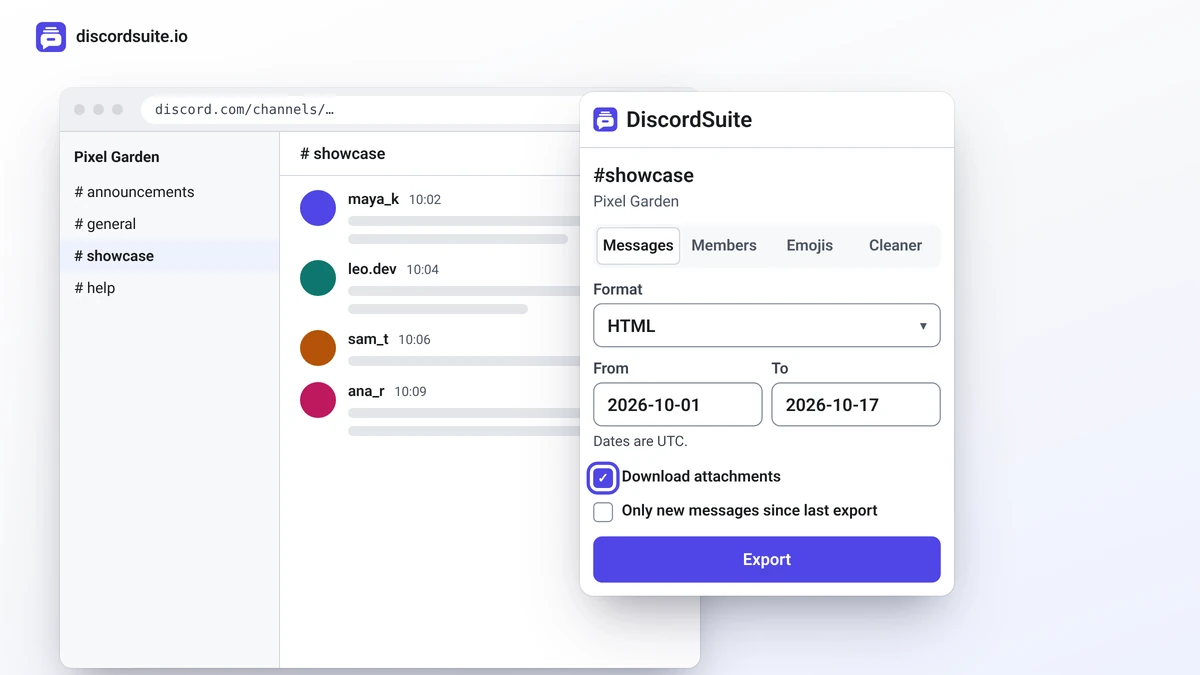
Run the export again with another format if you want both HTML and JSON. How to export a Discord chat walks through the popup. To save only the files, see how to download all attachments from a Discord channel.
Which format should I keep for an archive?
HTML
a readable copy that looks like Discord, with names, timestamps, replies and image previews.
JSON
a structured copy with the full message data.
Attachments
with Download attachments, the files come in the same ZIP, and the HTML points at them after you unzip it. Without it, images in the HTML load from Discord's CDN when you open the file, so they may stop loading once the channel is gone.
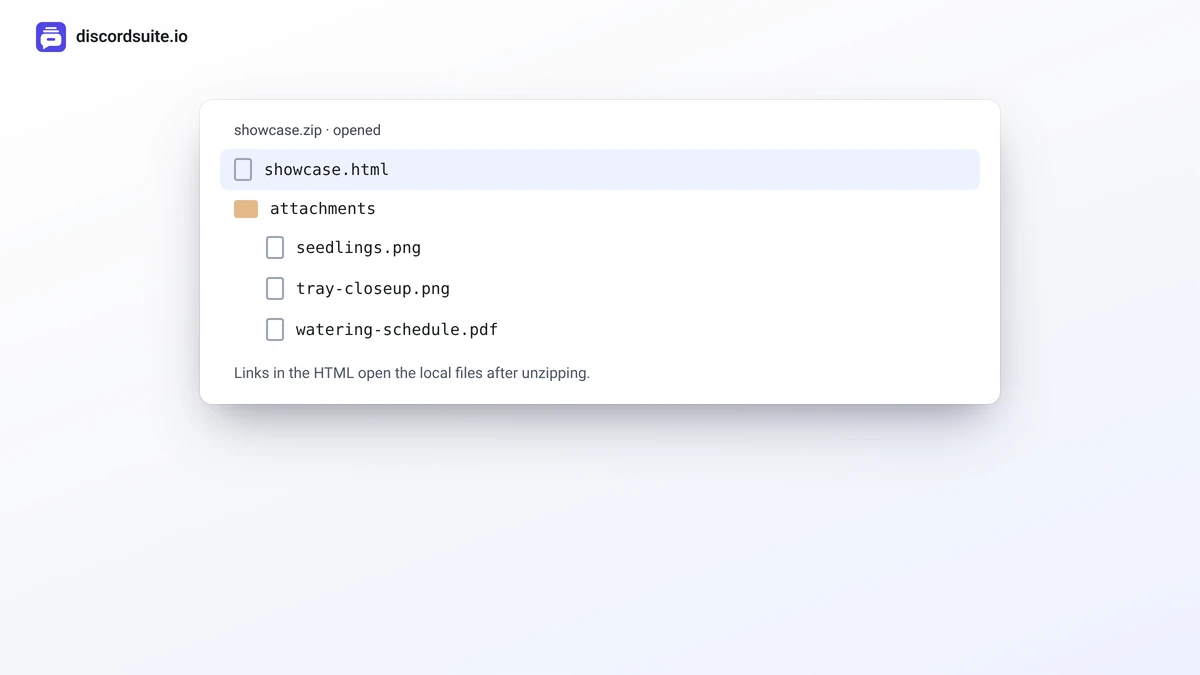
CSV, Excel and TXT work too, if you want a table or a plain log. The export formats page lists what each file contains. For a PDF copy, see How to save a Discord chat as a PDF.
For keeping a dated record of the messages, see the record guide. That page is not legal advice.
What do I do with the channel after I have a copy?
That's up to the server and your permissions. If you're allowed to, you can:
Hide it
change the channel's permissions, or move it into a category, so most members can't see it.
Lock it
keep it visible but stop members from posting.
Delete it
remove the channel from the server.
These are Discord settings, and the exact menus can change. DiscordSuite does not perform any of these steps. Deleting a channel is separate from exporting it, and you can't undo a channel deletion in Discord, so check that your export opened correctly first.
Can I archive several channels?
Yes, with Chat Exporter or the All tools bundle. Tick Export several channels and choose the channels and threads to include; each one saves as its own file. On a later run, Only new messages since last export adds just the messages posted since then. How to back up Discord server messages covers both. There is no single "archive this server" button.
Does this work for a thread?
Yes, if you can open the thread. Open it so its own URL shows, then export it the same way. A channel export doesn't include its threads. See How to export a Discord thread. Forum posts aren't a supported export.
Frequently asked questions
How do I archive a Discord channel?
Export the messages and files first, then hide, lock or delete the channel in Discord if you have permission. DiscordSuite does only the export.
Does Discord have a button that saves the channel to my computer?
No built-in download of the channel's messages and files as an archive you keep.
Is there a Discord archiver?
DiscordSuite's Chat Exporter works as a Discord archiver: it saves the channel's messages as HTML, PDF, Excel, CSV, JSON or TXT, and with Chat Exporter or All tools it downloads the attachments in the same ZIP. It does not hide, lock or delete the channel.
How do I archive a Discord server?
Discord has no server archive button. Export the channels you want to keep. With Chat Exporter or All tools you can select several channels at once and later save only the new messages. See How to back up Discord server messages.
Can DiscordSuite hide or delete the channel for me?
No.
Does this work if I cannot open the channel?
No. You can only export a conversation your account can open.
Should I export before I delete the channel?
Yes, if you still need a copy. Deleting the channel does not create an archive.
Related: How to back up Discord server messages · How to export a Discord chat · How to export a Discord thread · Export formats · How DiscordSuite works