如何导出 Discord 私信

单个私信导出包含账号可见的双方消息。群组私信使用相同步骤,文件按群组参与者命名。无法恢复已删除或无权访问的消息。

在 discord.com 打开频道、讨论串或私信,选择 HTML、PDF、Excel(XLSX)、CSV、JSON 或 TXT,设置范围后导出。

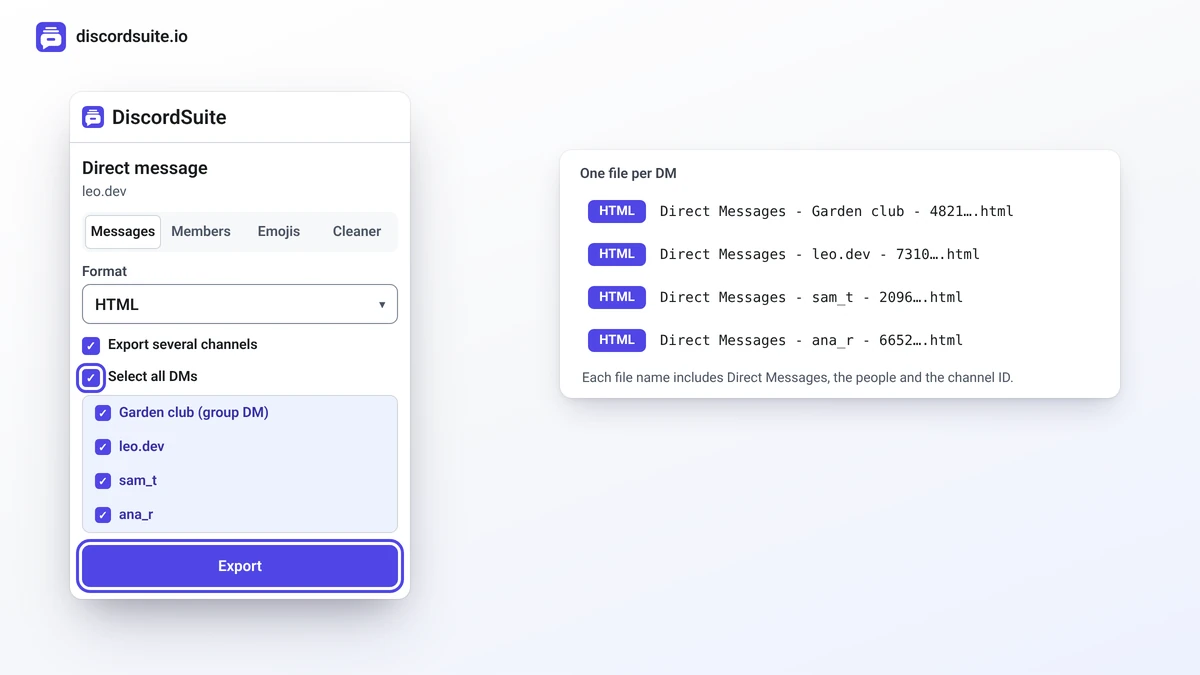
导出所有私信时,打开收件箱或任一私信,选择多个频道,再选择全部私信或指定对话。空私信不包含在内。需要 Chat Exporter 或 All tools,每个对话各存为文件。仅媒体还需要 Media Downloader,且不能与仅新消息同时使用。

DiscordSuite 可以将聊天保存为 PDF。请在“格式”菜单中选择 PDF,然后点击导出。
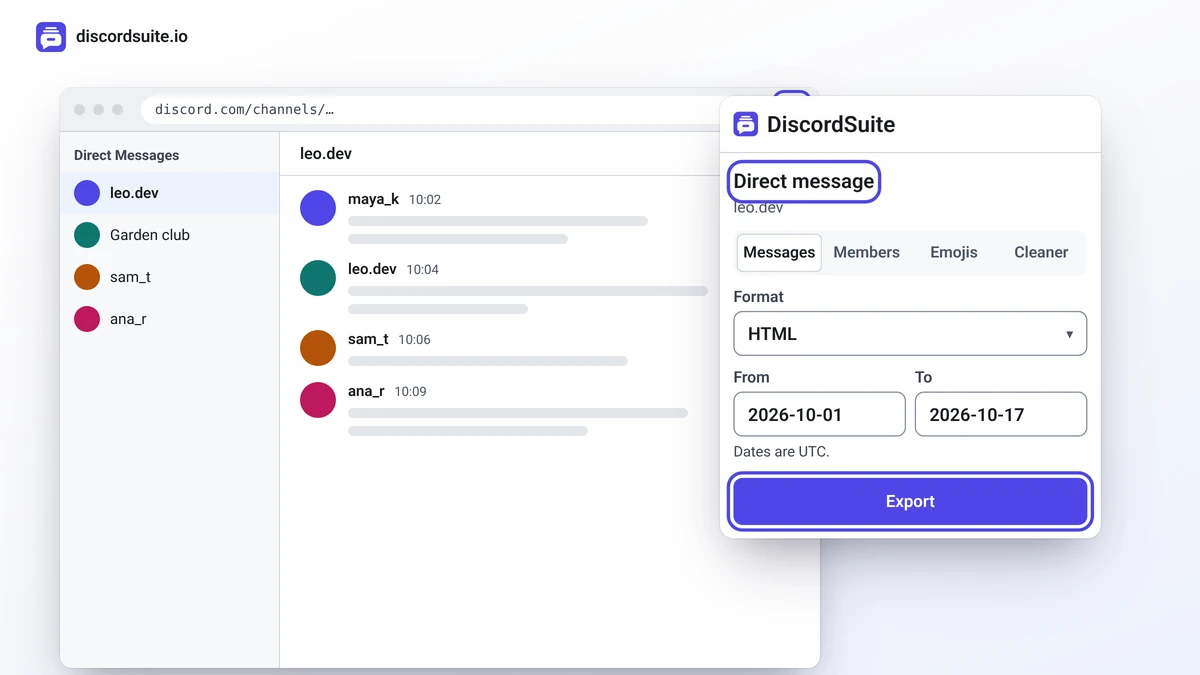
The DiscordSuite popup open on a Discord direct message conversation, with the Direct message heading, HTML format, a date range and the Export button highlighted, to export Discord DMs.
Open the DM, then export it from the Messages tab like any other chat.
The DiscordSuite popup with Export several channels and Select all DMs ticked, beside a list of the HTML files saved, one file per direct message conversation.
Select all DMs saves one file for each conversation.
可以下载 Discord 私信吗?

可以。打开私信,用 DiscordSuite 导出为 HTML、PDF、Excel、CSV、JSON 或 TXT,一个文件包含双方消息。这里的“下载”是指把消息保存为电脑上的文件,不需要单独的下载工具。

有 Discord 私信导出工具或私信下载工具吗?

有。DiscordSuite 的 Chat Exporter 是适用于 Chrome、Firefox 和 Edge 的浏览器扩展,可作为 Discord 私信导出工具使用。在 discord.com 打开私信,选择格式并点击导出。你会在一个文件中得到对话双方的消息。

需要令牌吗?导出会导致我的账号被封吗?

不需要令牌,也不需要机器人。聊天导出使用浏览器中已打开的 Discord 会话,你无需粘贴令牌。自动访问用户账号可能违反 Discord 的条款,因此任何使用你账号的工具都有风险,我们不保证 DiscordSuite 对你的账号是安全的。请参阅 Discord 聊天导出工具安全吗?