What happens when you delete your Discord account?
What happens as soon as you confirm?
Discord's help page on deleting an account lists what happens:
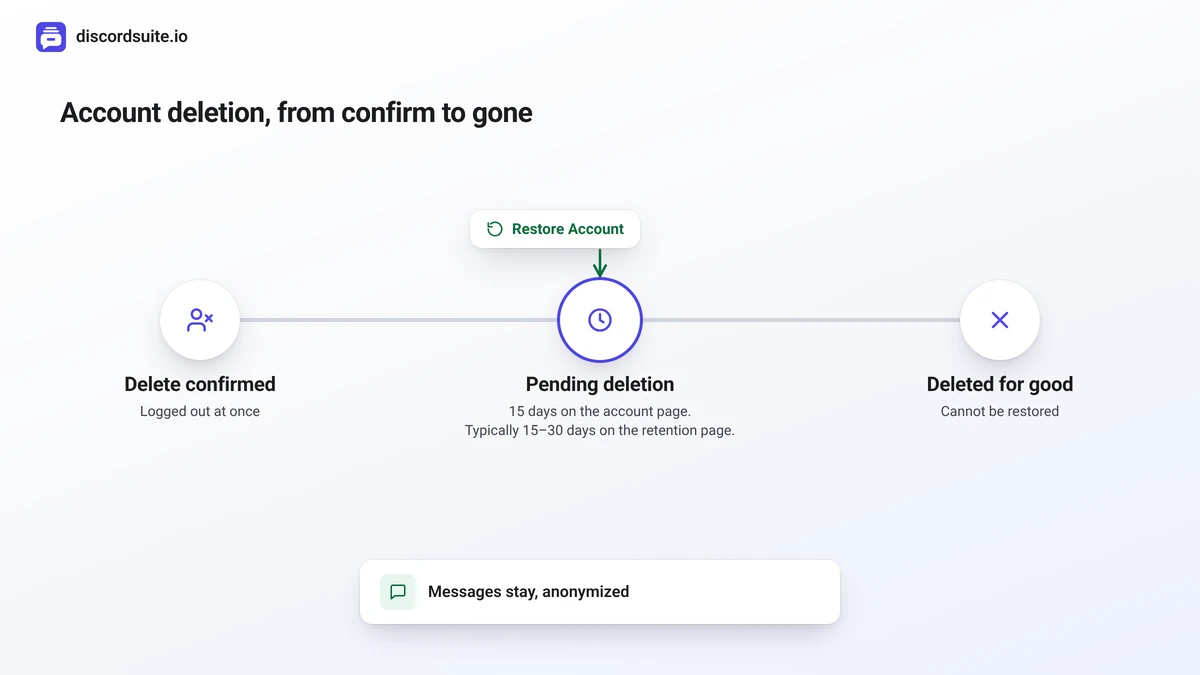
- You're logged out right away.
- The account goes into "pending deletion" for 15 days.
- You stop getting notifications and friend requests.
- You lose access to all your servers, direct messages, group messages and purchases.
- Nitro and Server Boost subscriptions are cancelled.
- Your account is anonymized across all servers and messages.
Before Discord lets you delete the account, you have to transfer or delete every server you own. A server you owned keeps running, with the new owner you chose.
How long does it take to delete a Discord account?
The pending period is 15 days on Discord's "How to Delete your Discord Account" page, and its support team can't speed it up. Discord's data retention page gives a range instead: it "typically" holds a deleted account for 15 to 30 days so it can be recovered. After that, deleting identifying information "can take up to 45 days" to reach Discord's backups.
Discord also keeps some data longer for safety reasons. Its retention page says email addresses and phone numbers are kept for 180 days after deletion, and for up to two years if the account was reported or flagged for breaking Discord's rules.
What happens to your messages?
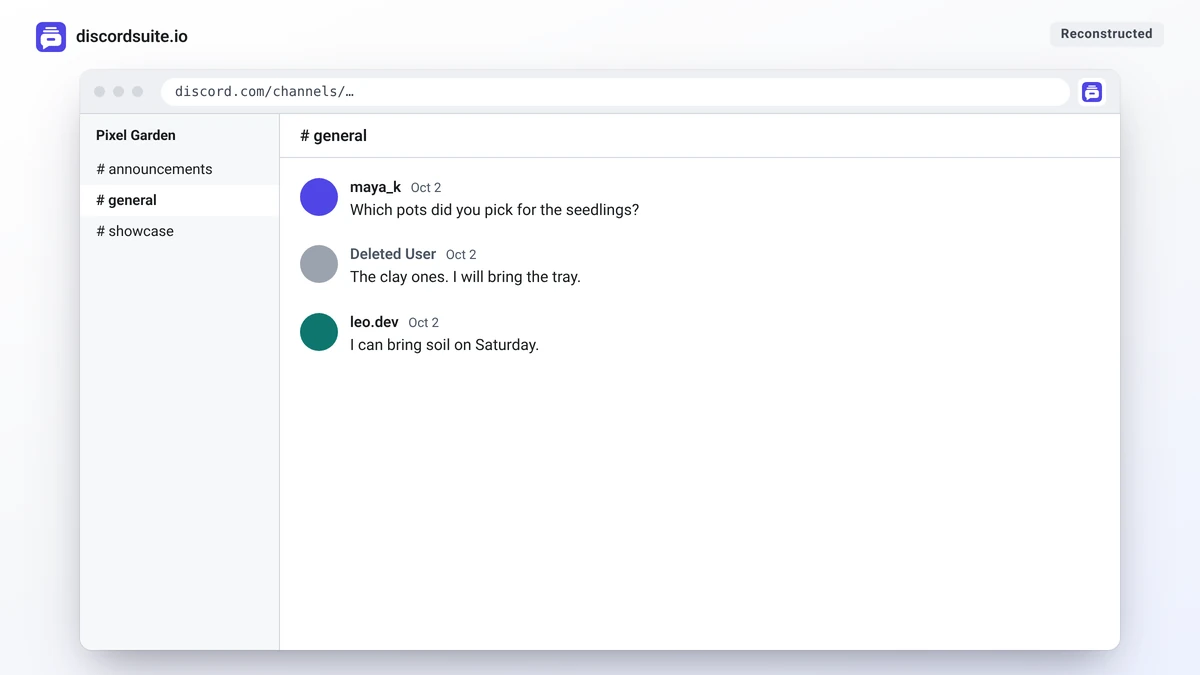
They stay. Deleting the account doesn't delete what you posted. The messages remain in the servers, DMs and group DMs where you sent them, and other people can still read them. What changes is the name and picture next to them, because Discord anonymizes the account. People usually see these messages under the name "Deleted User" with a default avatar.
If you want certain messages gone, delete them before you delete the account. Discord's retention page says you can delete a message "if you still have access to the space where you posted it". Once the account is gone, you have no access left, so you can't delete them afterwards. See what happens when you delete a Discord message.
Is disabling the same as deleting?
No. Disabling puts the account on hold, and you can reactivate it by logging in. While it's disabled you get no @mention emails, but friend requests still arrive and wait for you. Deleting is permanent once the pending period ends.
Discord adds one catch to both: a disabled account that has been inactive for two years or more may be deleted, and its retention page says it may delete any account that has been inactive for two years.
Can you get a deleted Discord account back?
Only during the pending period. Log in, and Discord shows that the account is pending deletion with a Restore Account button. After the period ends, the account is gone and Discord can't restore it. If Discord deleted the account itself because it was banned or disabled for breaking its rules, it can't be restored either. Discord points those users to an appeal with its Trust & Safety team.
What should you save before you delete it?
Once you confirm, you lose access to every DM and server, so save first:
- 1
Request your Discord data package (User Settings › Data & Privacy). Discord says it can take up to 30 days to arrive, and the download link works for 30 days. It holds your own messages only, as JSON files with a link for each attachment, and nothing you deleted yourself. Wait until the link arrives before you delete the account: Discord says disabling or deleting the account before then cancels the request. More on what's inside: Discord data package vs a chat exporter.
- 2
Save whole conversations if you want the other side too. The data package leaves out everyone else's messages. A screenshot works for a few lines. A chat export is the way to keep a full DM or channel.
- 3
Hand over your servers. Transfer ownership of every server you own, or Discord won't let you delete the account.
- 4
Cancel or move anything paid. Discord cancels Nitro and Boosts when you delete.
Keeping a copy before you go
The data package gives you your own side. To keep whole conversations, both sides, as files you can open later, DiscordSuite's Chat Exporter saves a DM, group DM, thread or channel you can open to HTML, PDF, Excel, CSV, JSON or TXT on your computer. Chat export uses the Discord session already open in your browser. Steps: How to export Discord DMs.
Related: What happens when you delete a Discord message · Discord data package vs a chat exporter · DM / group DM (glossary) · How to back up Discord server messages
Frequently asked questions
How long does it take Discord to delete an account?
Discord's account help page says 15 days of pending deletion, and its retention page says it typically holds a deleted account for 15 to 30 days. Removing identifying information from backups can take up to 45 more days.
Do my Discord messages get deleted when I delete my account?
No. Your messages stay where you sent them, anonymized, so other people can still read them. Delete the ones you want gone before you delete the account.
What does "Deleted User" mean on Discord?
It usually means the person who sent those messages deleted their account. Discord anonymizes a deleted account across all servers and messages, so the messages stay but the name and avatar no longer point to that person.
Can I restore my Discord account after deleting it?
Yes, within the pending period. Log in and choose Restore Account. After that the deletion can't be undone.
What's the difference between disabling and deleting a Discord account?
Disabling puts the account on hold, and logging in brings it back. Deleting removes it for good once the pending period ends. A disabled account that stays inactive for two years or more may be deleted.