Discord threads vs forum channels: what's the difference?
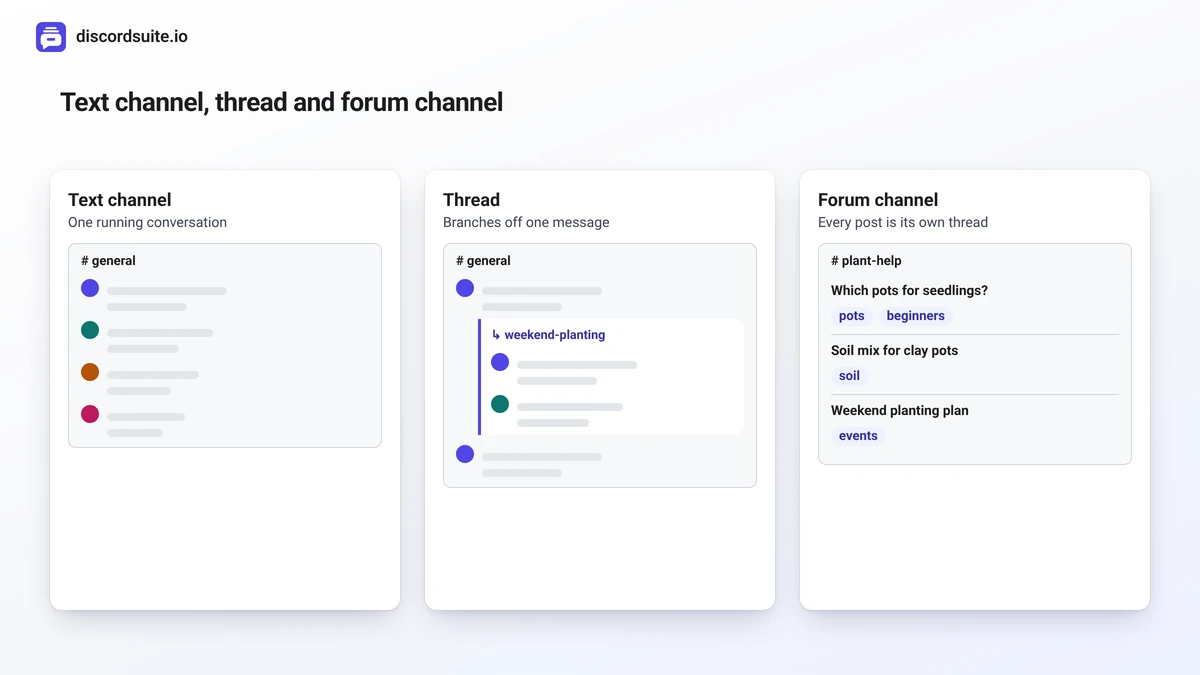
Text channel, thread and forum channel at a glance
| Feature | Text channel | Thread | Forum channel |
|---|---|---|---|
| What it is | One running conversation | A side conversation that branches off a message in a channel | A channel where people can only start posts. Each post is a thread |
| Good for | Chat in the moment | A topic that would bury the main chat | Longer discussions people come back to |
| Can you post straight into it? | Yes | Yes, inside the thread | No, only inside a post |
| Goes quiet after inactivity? | No | Hidden from the list after 1 hour, 24 hours, 3 days (default) or 1 week | Post moves to Older Posts after the same choices |
| Who can create one | Members with Manage Channels | Members with Create Public Threads (private threads need Create Private Threads and a Level 2 boosted server) | Members with Manage Channels, and the server must have Community turned on |
| Extras | Pins, slowmode | Slowmode, private option | Tags, guidelines, list or gallery layout, one pinned post |
Text channel
- What it is
- One running conversation
- Good for
- Chat in the moment
- Can you post straight into it?
- Yes
- Goes quiet after inactivity?
- No
- Who can create one
- Members with Manage Channels
- Extras
- Pins, slowmode
Thread
- What it is
- A side conversation that branches off a message in a channel
- Good for
- A topic that would bury the main chat
- Can you post straight into it?
- Yes, inside the thread
- Goes quiet after inactivity?
- Hidden from the list after 1 hour, 24 hours, 3 days (default) or 1 week
- Who can create one
- Members with Create Public Threads (private threads need Create Private Threads and a Level 2 boosted server)
- Extras
- Slowmode, private option
Forum channel
- What it is
- A channel where people can only start posts. Each post is a thread
- Good for
- Longer discussions people come back to
- Can you post straight into it?
- No, only inside a post
- Goes quiet after inactivity?
- Post moves to Older Posts after the same choices
- Who can create one
- Members with Manage Channels, and the server must have Community turned on
- Extras
- Tags, guidelines, list or gallery layout, one pinned post
How do Discord threads work?
Anyone with permission can start a thread from a message. Discord says threads let "multiple topics in a channel … exist and grow with their own dedicated space temporarily." A thread has its own name, its own messages and its own ID. For Discord's systems it's a special kind of channel. Searching a channel also searches its threads.
Do Discord threads disappear?
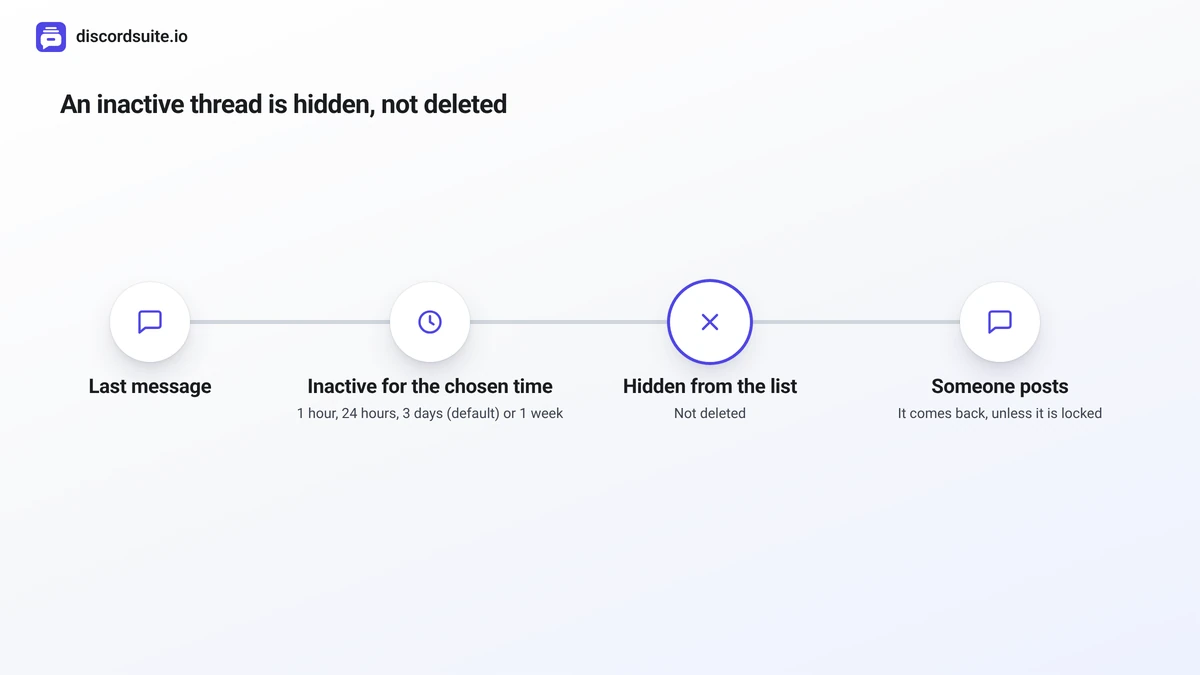
No. They hide, they aren't deleted. After a stretch with no new messages (3 days by default, or 1 hour, 24 hours or 1 week), a thread closes and drops out of the channel's sidebar. Discord is explicit: "Closing a Thread doesn't mean it will be deleted." Anyone who can post there reopens it by sending a message, unless a moderator has locked it, in which case only people with Manage Threads can reopen it.
A thread is gone for good only when someone with Manage Threads deletes it. Discord says a deleted thread can't be recovered, even by its support team.
How do forum channels work?
A forum channel shows a list of posts instead of a chat. Each post has a title, an opening message, optional tags, and replies underneath. In Discord's developer docs a forum channel is "similar to a text channel, except only threads can be created in them", and messages can't be sent directly in the forum itself. Forums need a Community server. Moderators can set post guidelines, require tags, pick a list or gallery layout and pin one post.
Inactive posts move to Older Posts after the chosen time, and Discord says a post "can be reopened at any time" unless it's locked. Close Post removes a post from the new-posts list and locks it, so only moderators can reopen it.
Thread or forum: which should a server use?
Discord's answer: text channels are for "in-the-moment discussions", forum channels for "more drawn-out discussion around specific topics", and forums "are more persistent, while threads are more temporary". In practice:
- Use a thread when a topic pops up in a busy channel and needs its own space for a while.
- Use a forum channel for questions, feedback, support or showcases, where each topic should stay findable as its own post.
Threads in an export
Because a thread keeps its messages apart from its channel, exporting a channel doesn't include the threads under it. Each thread has to be opened and saved on its own. DiscordSuite's Chat Exporter can export a thread you can open, including archived and private threads your account can still read. Chat export uses the Discord session already open in your browser. Steps: How to export a Discord thread.
Related: Thread (glossary) · Channel (glossary) · How to export a Discord thread · How to back up Discord server messages
Frequently asked questions
What's the difference between a Discord forum and a thread?
A forum is a type of channel made only of posts. A thread is a side conversation started from a message. Each forum post is a thread, so both use the same building block.
Do Discord threads disappear?
No. An inactive thread is hidden from the channel list after 1 hour, 24 hours, 3 days or 1 week, but it isn't deleted. Sending a message reopens it unless it's locked.
What happens when a Discord thread is archived or closed?
It drops out of the sidebar, and its messages stay. Anyone who can post there reopens it by sending a message. A locked thread can only be reopened by people with Manage Threads.
What is the difference between a forum channel and a text channel?
In a text channel everyone posts in one running conversation. In a forum channel people start separate posts, each with a title and its own replies.
Can a deleted thread be recovered?
No. Discord says a deleted thread can't be recovered and its support team can't restore it.