如何備份 Discord 伺服器訊息(Discord 伺服器備份)

DiscordSuite 備份訊息與附件,不複製身分組、權限或頻道結構,也無法還原伺服器。Discord 的伺服器範本不會複製訊息。

啟用 Chat Exporter 或 All tools,選擇多個文字頻道、公告頻道及使用中的討論串,選 JSON 或 HTML,可選下載附件,然後匯出。包含附件時每個頻道各存為 ZIP。之後可用僅新訊息避免重複已掃描紀錄。

Chat Exporter 或 All tools 支援多個頻道、僅新訊息,以及將附件與聊天一起打包成 ZIP。每個頻道各自儲存為檔案。

「僅媒體」無法與「僅上次匯出後的新訊息」或「下載附件」同時使用。近期檔案可依日期或最新 N 則篩選;跨頻道還需要 Chat Exporter,或使用 All tools。
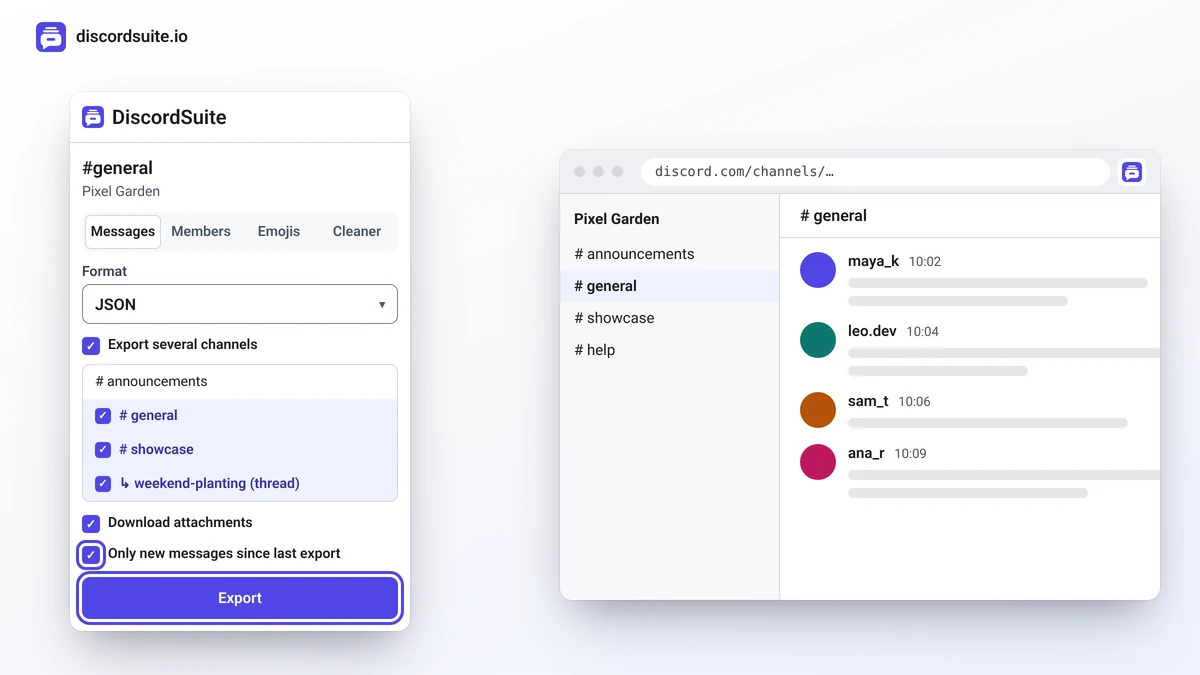
The DiscordSuite popup set to JSON with Export several channels, a channel list including a thread, Download attachments and Only new messages since last export ticked, to back up a Discord server.
Pick the channels, tick Only new messages since last export, and run the backup.
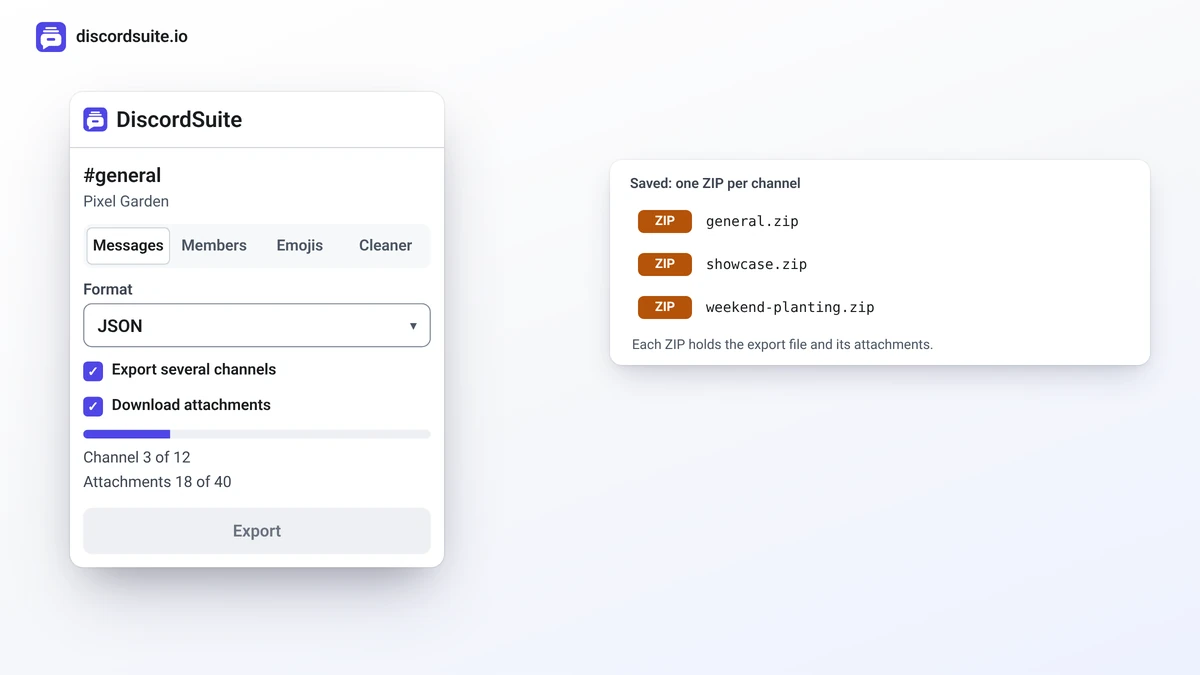
The DiscordSuite popup showing a backup in progress, Channel 3 of 12 and attachments 18 of 40, beside the saved ZIP files, one ZIP per channel.
A multi-channel backup shows its progress and saves one ZIP per channel.
備份包含已刪除的訊息嗎?

不含。只會包含匯出時仍然存在的訊息。Discord 自己的資料封裝也不包含已刪除的訊息。

如何備份 Discord 伺服器?

在 Chrome、Firefox 或 Edge 中開啟伺服器的任意頻道,點選 DiscordSuite,勾選匯出多個頻道,選擇頻道和討論串,選擇格式,勾選下載附件,再點選匯出。每個頻道會儲存為各自的 ZIP。此功能需要 Chat Exporter(或 All tools 套裝)。

有能歸檔整個伺服器的 Discord 歸檔工具嗎?

Chat Exporter 可以充當這樣的工具:它把每個選中的頻道匯出為各自的檔案,附件包含在 ZIP 中,下次還能只儲存新訊息。只歸檔單個頻道,請參閱如何歸檔 Discord 頻道。更多介紹見 Chat Exporter。