如何备份 Discord 服务器消息(Discord 服务器备份)

DiscordSuite 备份消息及附件,不复制身份组、权限或频道结构,也无法恢复服务器。Discord 的服务器模板不会复制消息。

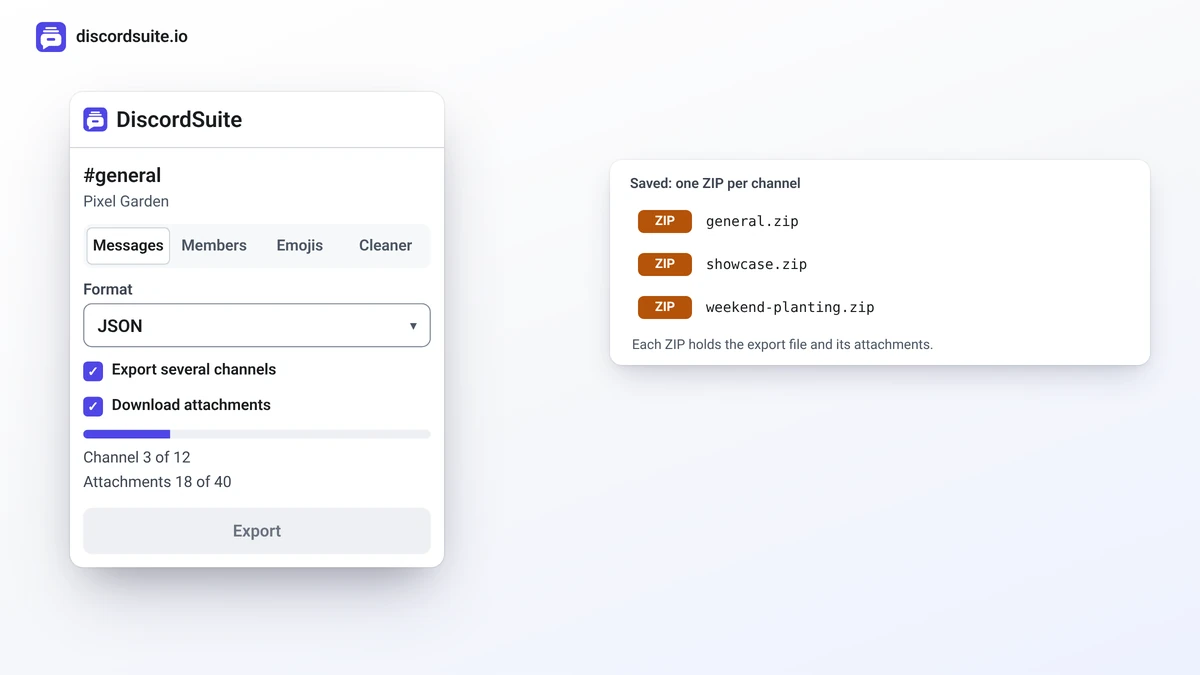
激活 Chat Exporter 或 All tools,选择多个文字频道、公告频道及活跃讨论串,选 JSON 或 HTML,可选下载附件,然后导出。包含附件时每个频道各自保存为 ZIP。后续可用仅新消息避免重复已扫描记录。

Chat Exporter 或 All tools 支持多个频道、仅新消息及将附件与聊天一起打包为 ZIP。每个频道各自保存为文件。

“仅媒体”不能与“仅自上次导出后的新消息”或“下载附件”同时使用。近期文件可按日期或最新 N 条筛选;跨频道还需要 Chat Exporter,或使用 All tools。
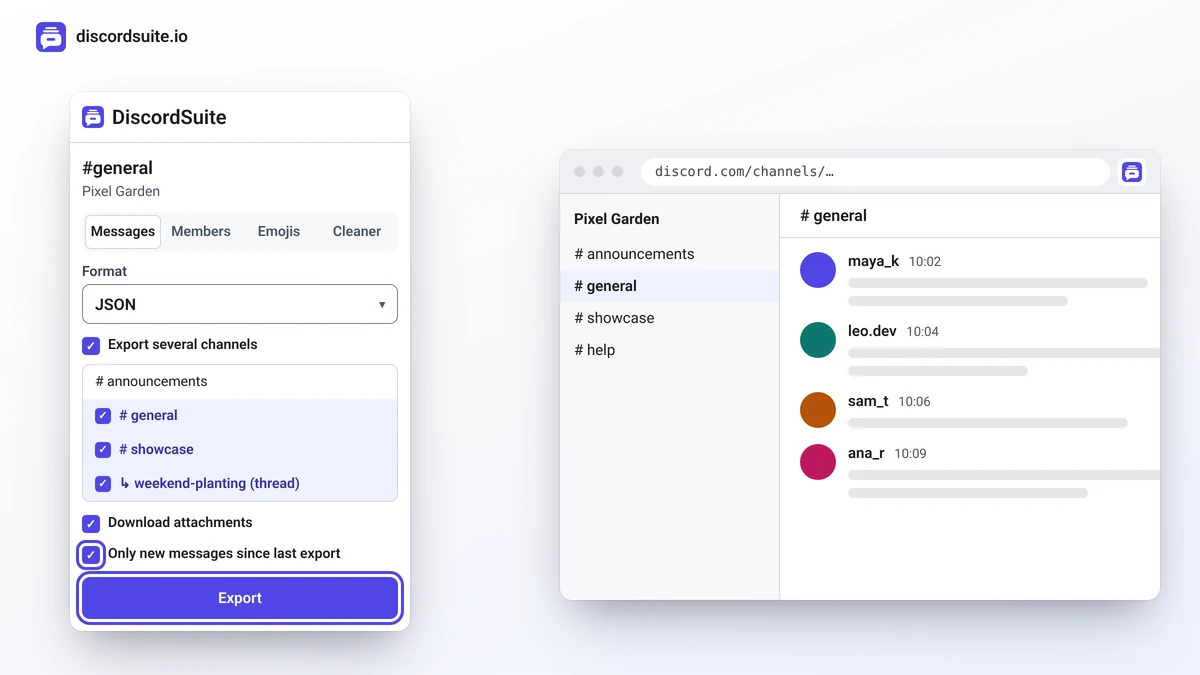
The DiscordSuite popup set to JSON with Export several channels, a channel list including a thread, Download attachments and Only new messages since last export ticked, to back up a Discord server.
Pick the channels, tick Only new messages since last export, and run the backup.
The DiscordSuite popup showing a backup in progress, Channel 3 of 12 and attachments 18 of 40, beside the saved ZIP files, one ZIP per channel.
A multi-channel backup shows its progress and saves one ZIP per channel.
备份包含已删除的消息吗?

不含。只会包含导出时仍然存在的消息。Discord 自己的数据包也不包含已删除的消息。

如何备份 Discord 服务器?

在 Chrome、Firefox 或 Edge 中打开服务器的任意频道,点击 DiscordSuite,勾选导出多个频道,选择频道和讨论串,选择格式,勾选下载附件,再点击导出。每个频道会保存为各自的 ZIP。此功能需要 Chat Exporter(或 All tools 套装)。

有能归档整个服务器的 Discord 归档工具吗?

Chat Exporter 可以充当这样的工具:它把每个选中的频道导出为各自的文件,附件包含在 ZIP 中,下次还能只保存新消息。只归档单个频道,请参阅如何归档 Discord 频道。更多介绍见 Chat Exporter。