サーバーメンバー一覧をエクスポート

Member Exporter はチャットの出力と異なり、自分の Discord Bot と公式 API を使います。Bot をサーバーに追加できる必要があります。

Discord Developer Portal で Bot を作り、Server Members Intent を有効にして、メンバーパネルの案内に従います。Bot トークンは秘密情報です。公開・共有しないでください。

拡張機能のリンクから Bot を追加します。サーバー権限は不要です。CSV または Excel を選び、メンバー一覧を出力します。

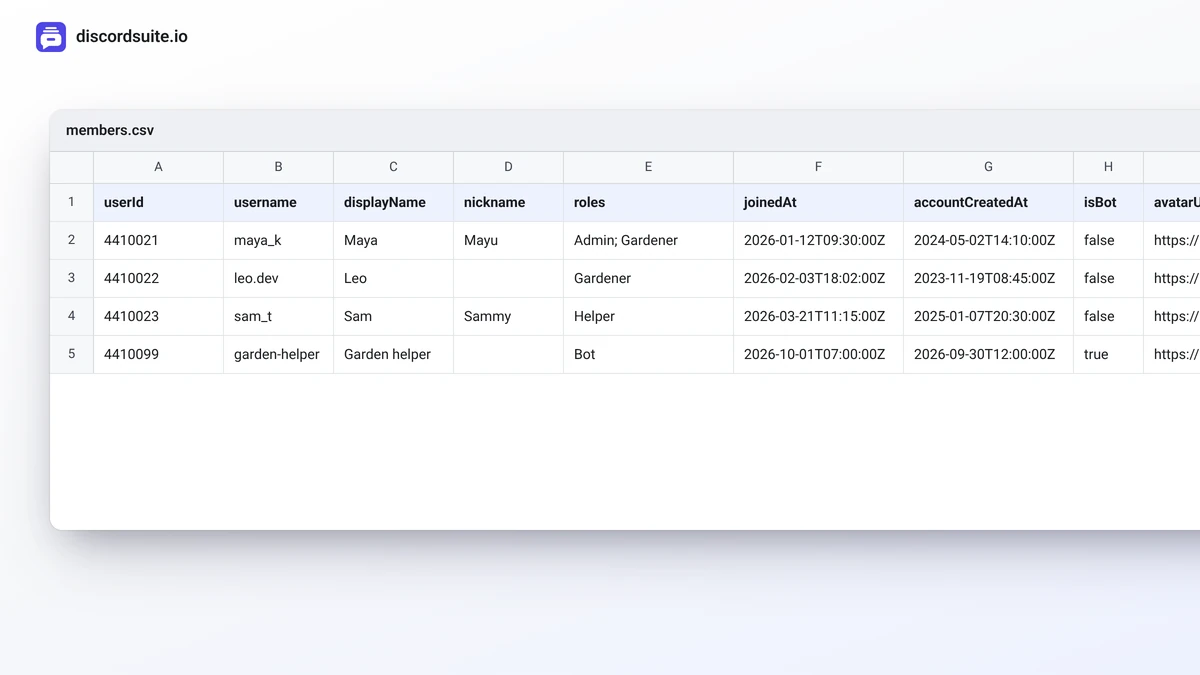
各行にはユーザー ID、ユーザー名、表示名、ニックネーム、ロール、参加日、アカウント作成日、Bot かどうか、アバターのリンクが入ります。表計算でロール列を絞り込めます。
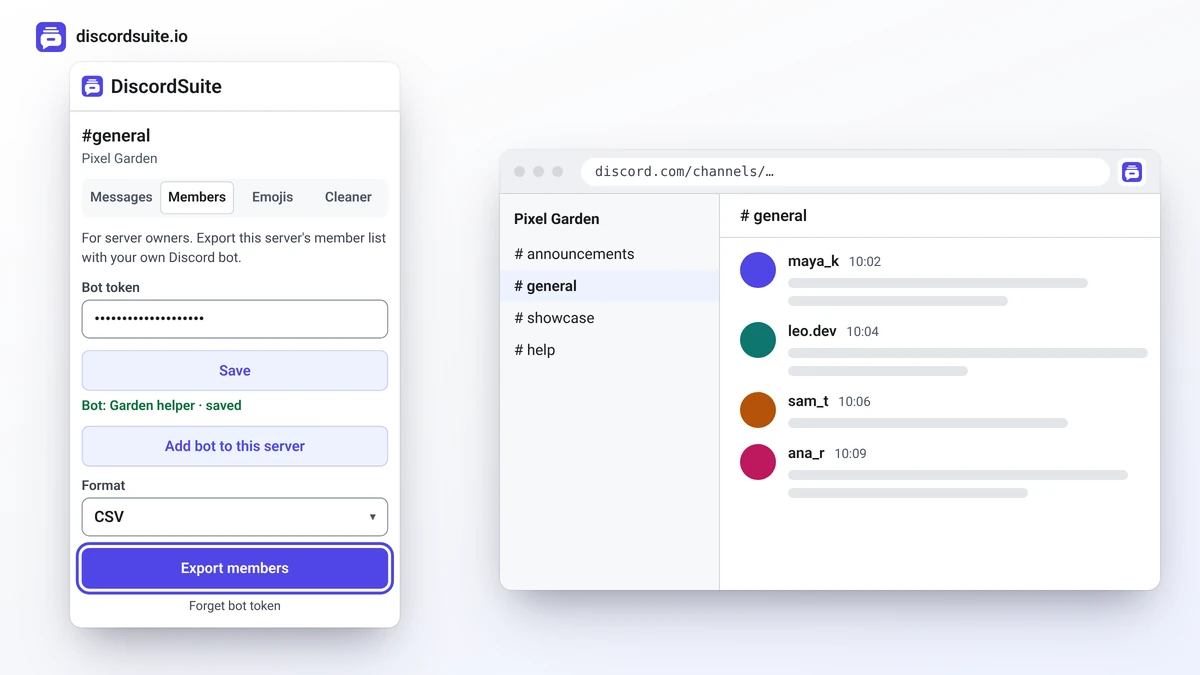
The DiscordSuite popup on the Members tab with a Bot token box, a Save button, Add bot to this server, a CSV format and the Export members button.
Save your own bot token on the Members tab, then press Export members.
A DiscordSuite member list export opened as a spreadsheet, with one row per fictional member and the nine columns including roles, join date and account creation date.
The member file has one row per member, including their roles and join date.
メンバー一覧の出力に Bot は必要ですか?

はい。Server Members Intent を有効にした自分の Bot を使います。その Bot をサーバーに追加できる必要があります。